
Master Spreadsheets with an Excel Formula Bot

Matic Pogladič
30 March 2026
An Excel formula bot is your personal AI translator for spreadsheets. You describe your goal in plain English, and the bot instantly generates the exact formula for Excel or Google Sheets. It's a simple idea. It completely changes how you work with data. This tool bridges the gap between your intent and the complex syntax spreadsheets demand, saving you from wrestling with functions like VLOOKUP or SUMIFS.
What an Excel Formula Bot Is and Why You Need One
At its core, an Excel formula bot is built to translate what you want to do into the specific logic spreadsheets require. You might know you need to "find the total sales for the North region in Q3," but turning that into a SUMIFS function with the correct criteria can be a genuine headache. The bot does that heavy lifting. It handles the translation for you.
I remember my first "aha" moment with one. I had a data-merging task that I knew would take hours of looking up syntax and debugging nested IF statements. Instead, I typed my request into a formula bot. I got the perfect formula in under five minutes. It was a massive shift in my workflow.
Excel Formula Bot at a Glance
These tools have evolved far beyond simple formula generators. They are becoming full-fledged AI assistants for anyone who works with data but is not a spreadsheet master.
Here’s a quick summary of what they bring to the table:
| Core Function | Target User | Key Benefit |
|---|---|---|
| Translates plain English into formulas for Excel and Google Sheets. | Business professionals, marketers, students, and data analysts. | Massive time savings and a reduced need to memorize complex syntax. |
| Explains what existing complex formulas do in simple terms. | Anyone inheriting a complex spreadsheet or trying to debug errors. | Quickly understand and troubleshoot formulas without manual dissection. |
| Automates repetitive tasks like data cleaning and formatting. | Operations managers and analysts dealing with messy datasets. | Eliminates hours of tedious, manual work with a single instruction. |
For anyone who feels like they spend more time fighting with spreadsheets than analyzing data, these benefits are immediately clear.
Why Are These Bots Becoming So Popular?
The explosive growth of Excel formula bots points to a bigger trend in business software. People want powerful tools that do not require a steep learning curve. The demand for conversational AI is a perfect example, with the market expected to jump from $7.76 billion in 2024 to an incredible $27.30 billion by 2030.
This is not just hype. It reflects a fundamental shift in user behavior. Recent research shows 62% of consumers would rather use an AI assistant than a human agent for direct tasks. Why spend an hour figuring out a formula when an AI can deliver it in seconds? It just makes sense. This frees you up to focus on what the data actually means, not the mechanics of how to calculate it.
Here's a counter-intuitive opinion: using an Excel formula bot actually makes you better at spreadsheets. By showing you the correct formula for a task, it teaches you the proper syntax and logic. It acts as a personal, on-demand tutor.
These bots are part of a much larger ecosystem of AI assistants built to make professional work easier. For founders and operators building an efficient tech stack, tools like this are no longer a nice-to-have. They are a strategic move. Exploring the best AI assistant tools can give you a serious edge by automating routine work across your entire business.
How Excel Formula Bots Translate Your Words into Code
Ever wonder what happens under the hood of an Excel formula bot? It might feel like magic when your simple request spits out a perfect formula. It is really just a powerful combination of language processing and cold, hard logic.
At their core, most of these bots are powered by advanced Large Language Models (LLMs). These are models like the GPT series from OpenAI, which they access through an API. You type your goal in plain English. The bot handles the heavy lifting of turning that instruction into precise spreadsheet code.
The Core Translation Engine
So, how does an Excel formula bot work? The process is surprisingly simple, but the secret lies in how the bot frames your request for the AI.
It all starts with your instruction, often called a prompt. This is just you describing what you need, like "add up all the numbers in column B" or something more specific, such as "find the average order value from our sales in Q4."
But here’s the clever part. The bot does not just send your raw text to the LLM. It wraps your request inside a hidden set of instructions. This is a meta-prompt. This pre-written guide is the bot's secret sauce. It tells the AI model how to think, instructing it to act like a spreadsheet expert and ensuring it replies with a formula, not a friendly paragraph.
The quality of this internal meta-prompt is what truly separates a good bot from a great one. A well-designed meta-prompt provides context, specifies the output format, and guides the AI toward accuracy. This makes the tool reliable and effective.
Finally, the LLM processes your request within the boundaries set by the meta-prompt and generates the correct formula. You get a clean string of code to copy and paste directly into your sheet. It is a seamless back and forth.
This flow diagram breaks down that simple but powerful workflow, from your initial idea to the final, ready-to-use formula.

As you can see, the bot simply acts as an intelligent translator. It converts your intent into functional code without you needing to know any of the technical syntax.
From Human Intent to Machine Logic
Let's look at a real-world example. Imagine you have a sales report with columns for Region, Quarter, and Sales. You need to find the total sales for the "North" region that occurred in "Q2".
Instead of wrestling with syntax and cell references, you could just ask the bot: "Find total sales for the North region in Q2."
The bot’s LLM is trained to pick up on the contextual clues.
- "Total sales" implies a summing function.
- "North region" and "Q2" are clearly conditions for that sum.
Based on this, it correctly generates a SUMIFS formula, something like =SUMIFS(C2:C100, A2:A100, "North", B2:B100, "Q2"). You never had to know the function's name. You did not have to know its complex argument structure. This ability to interpret intent is what makes these tools so valuable.
I once spent an hour trying to debug a convoluted INDEX(MATCH()) formula someone else had built. In frustration, I pasted it into a formula bot and asked it to explain the logic. It broke it down into simple English in seconds. That saved me a massive headache. Sometimes their biggest value is not just writing formulas, but deciphering them.
These tools are quickly growing beyond just formulas, too. Many are becoming broader assistants for all kinds of data and coding tasks. To see how this technology is used outside of spreadsheets, check out our guide to the best AI coding assistant tools.
Where Do These Bots Live?
Excel formula bots come in a few different flavors. Each has its own pros and cons depending on your workflow.
- Web-Based Apps: These are simple websites. You type your request on the page, and it gives you a formula to copy. They require no installation and are perfect for quick, one-off tasks.
- Excel or Google Sheets Add-ins: These tools live right inside your spreadsheet as a side panel. You can generate formulas without ever leaving your document, which is a huge time-saver for anyone who spends a lot of time in spreadsheets.
- Browser Extensions: An extension gives you access to the formula bot from any browser tab. This is great if you work across different web-based platforms and want a consistent tool available everywhere.
Your choice really comes down to convenience. For heavy spreadsheet users, an integrated add-in is almost always the most efficient way to go.
Practical Prompts to Solve Real Spreadsheet Problems
Knowing an Excel formula bot exists is one thing. Knowing how to talk to it is how you actually get work done. This is where you learn to speak the bot's language, turning your plain-English requests into powerful formulas.
Think of it as giving instructions to a brilliant but very literal assistant. The more specific and clear you are, the better the result. We will walk through a playbook of ready-to-use prompts here. We will start with simple calculations. We will build up to some seriously complex data wrangling.
The Art of a Good Prompt
The secret to a great formula is a great prompt. A vague request gets you a vague, often useless, formula. Precise instructions, on the other hand, deliver exactly what you need on the first try.
So, what makes a prompt "precise"? It's about including four key pieces of information.
- The Goal: Start with the action verb. What do you actually want to do? (e.g., "Sum," "Count," "Find," "Combine").
- The Data: Tell it where to look. Be specific. (e.g., "column C," "the range A2:A100," "the 'Sales Data' sheet").
- The Conditions: Add the "if." What rules must the data follow? (e.g., "only if column A says 'Shipped'," "for dates after January 1st").
- The Context: Mentioning where the formula will go can help the bot understand the relationship between the data and the result, leading to smarter suggestions.
This is what it looks like in practice. A clear, simple instruction gets instantly translated into the correct Excel formula. No more hunting through function libraries.
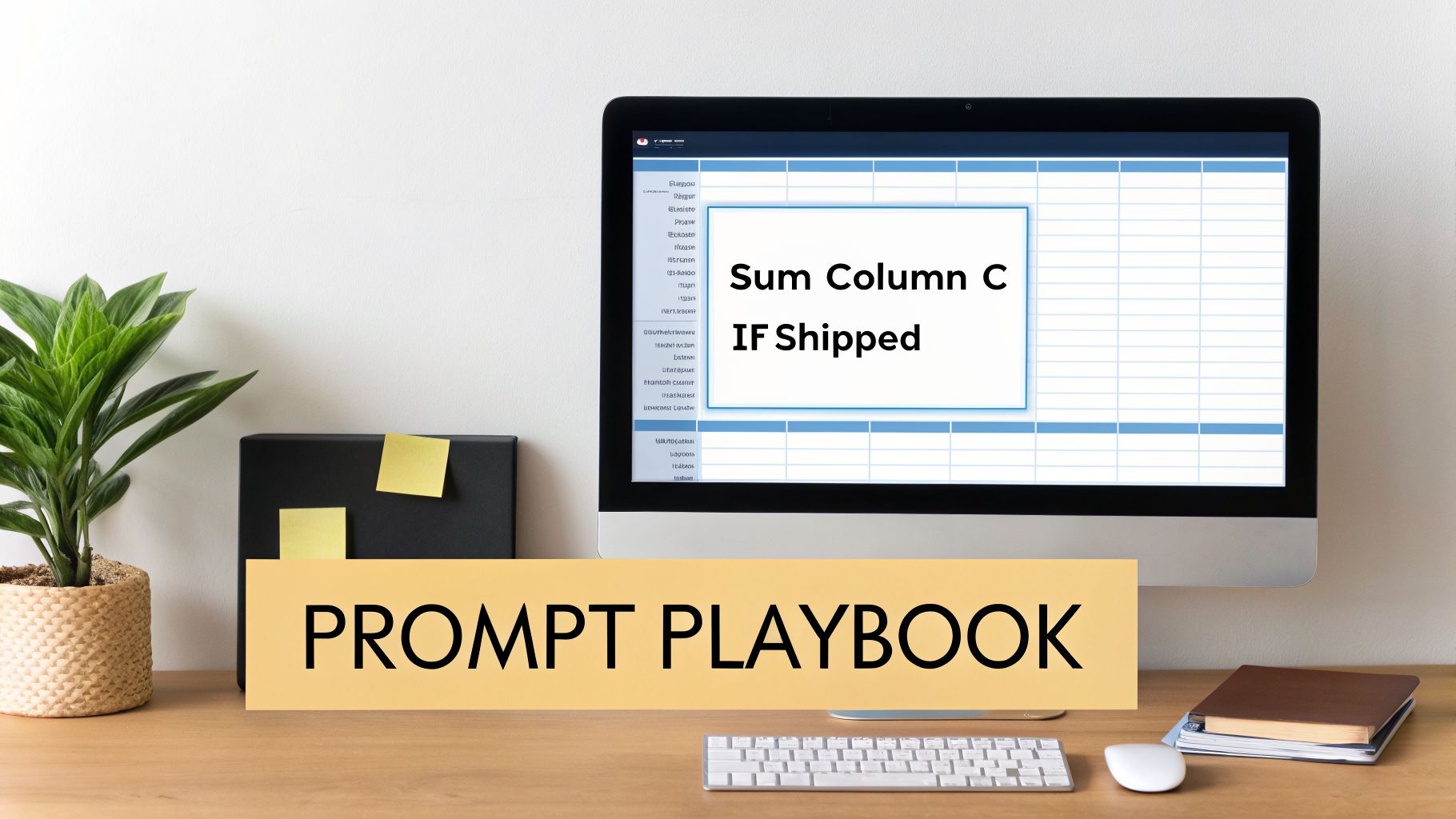
The user's request was beautifully simple. It stated the action ("Sum"), the target ("Column C"), and the condition ("IF Shipped"). That’s all the bot needed to land directly on the SUMIF function.
Beginner Prompts for Everyday Tasks
Let's start with the bread and butter. These are the kinds of prompts you'll use for the common calculations that pop up in spreadsheets all the time.
1. Basic Arithmetic and Aggregation
Goal: Simple calculations.
Prompt Example: Sum the values in cells C2 through C50.
Resulting Formula: =SUM(C2:C50)
Goal: Find an average.
Prompt Example: Calculate the average of all the numbers in column D.
Resulting Formula: =AVERAGE(D:D)
2. Conditional Summing and Counting This is where a formula bot really starts to feel like a superpower. It effortlessly handles the conditional logic that often trips people up.
Goal: Sum values based on one rule.
Prompt Example: Sum all values in column C if the cell next to it in column A is 'Shipped'.
Resulting Formula: =SUMIF(A:A, "Shipped", C:C)
Goal: Count entries that meet multiple rules.
Prompt Example: Count how many rows have 'Marketing' in column B and a value greater than 500 in column F.
Resulting Formula: =COUNTIFS(B:B, "Marketing", F:F, ">500")
Two simple, AI-generated formulas are often better than one monster formula. Breaking a big problem into smaller prompts makes the solution easier to understand, audit, and fix later. Do not be afraid to solve a problem in a few steps. This is a counter-intuitive take I've developed from years in spreadsheets.
Intermediate Prompts for Data Lookups and Text Manipulation
Ready to level up? These prompts tackle common business scenarios. They pull information from another table or tidy up messy text data.
1. Finding and Retrieving Data VLOOKUP is one of Excel's most useful functions, but its syntax is notoriously tricky. A bot makes it simple.
- Goal: Look up a value from another table.
- Prompt Example: Find the product price for the Product ID in cell A2. The lookup table is on the 'Prices' sheet in columns A and B.
- Resulting Formula: =VLOOKUP(A2, Prices!A:B, 2, FALSE)
2. Combining and Splitting Text Data is rarely formatted perfectly. These prompts help you whip it into shape.
Goal: Join text from different cells.
Prompt Example: Combine the first name in A2 and the last name in B2, with a space in between.
Resulting Formula: =CONCATENATE(A2, " ", B2) or =A2 & " " & B2
Goal: Pull out part of a text string.
Prompt Example: Extract the first 5 characters from cell B2.
Resulting Formula: =LEFT(B2, 5)
For anyone looking to move beyond just generating formulas, it's worth seeing what a broader tool like ChatGPT can do for data analysis and summarization. We cover this in our in-depth guide on using ChatGPT for business.
Advanced Prompts for Complex Logic
This is where you can start solving serious business problems. You can chain concepts together in your prompts. All without writing a line of code yourself.
Goal: A more robust, advanced lookup.
Prompt Example: Find the employee email in column D on the 'HR Data' sheet by matching the name in cell A2 with the names in column B on that sheet.
Resulting Formula: =INDEX('HR Data'!D:D, MATCH(A2, 'HR Data'!B:B, 0))
Goal: Add error handling to prevent ugly #N/A results.
Prompt Example: Do a VLOOKUP for the value in A2 in the table B2:C100. If it's found, return the value from the second column. If it's not found, just show the text 'Not Found'.
Resulting Formula: =IFERROR(VLOOKUP(A2, B2:C100, 2, FALSE), "Not Found")
By starting small and gradually adding more detail to your requests, you'll quickly get a feel for how to talk to any Excel formula bot. Soon, you will be solving almost any spreadsheet challenge that comes your way.
Automating Analysis Beyond Simple Formulas
Forget thinking of an Excel formula bot as just a tool for spitting out a SUMIF or a VLOOKUP. That was the old way. Today’s AI assistants have grown up. They now handle entire data workflows from start to finish. They have moved past simple formula generation and into true intelligent automation.
Imagine just telling your spreadsheet to clean itself up. It is not science fiction anymore.

From Data Janitor to Analyst
Anyone who works with data knows the drill. A huge portion of your time is spent just preparing the data before you can even start the real analysis. It’s often the most grueling part of the job. An advanced Excel bot acts as your personal data janitor. It takes care of these tedious tasks with simple, plain-English commands.
Think about these all-too-common frustrations.
- Removing Duplicates: Instead of digging for the built-in "Remove Duplicates" tool and clicking through menus, you can just ask, "Remove all duplicate rows based on the email address in column B." The bot just does it.
- Standardizing Data: Messy data is a constant headache. A quick prompt like, "Standardize all dates in column F to YYYY-MM-DD format," saves you from wrestling with complicated text-to-date conversions.
- Cleaning Text: You can even instruct it to "trim all leading and trailing whitespace from column A" or "convert all text in column C to proper case." All those little manual tasks that eat up your day are gone.
This AI-driven data cleaning is about more than just finding the right formula. It is about automating the entire tedious, time-sucking process.
Asking Your Data Direct Questions
Once your data is clean, the fun begins. Rather than building pivot tables or crafting complex calculations step-by-step, you can now ask high-level questions directly. The bot interprets your request and generates the output. It could be a single number, a formula, or a full summary table.
Here’s what that looks like in practice.
- Business Metrics: Ask something like, "What is our average customer lifetime value from the data in sheet 'Sales'?" The bot can generate the necessary formulas or even a small table with the final answer.
- Sales Analysis: A query like, "Which product category had the highest revenue in Q4?" might produce a MAX function combined with a filter, or even a short, sorted list.
- Trend Identification: You could ask, "Show me the top 5 performing sales regions by total profit."
My take is that this represents a fundamental shift in how we work. We're moving from a "how do I calculate this?" mindset to a "what do I need to know?" mindset. The bot handles the "how". This frees up your mental energy to focus on strategy and interpretation.
Instantly Visualizing Your Data
The final piece of the puzzle is often turning raw numbers into something a human can quickly understand. A chart or a graph. An Excel formula bot can now create these visuals for you on command. It bridges the gap between a raw data table and a presentation-ready report.
Consider how fast this is.
- "Create a line chart showing monthly user growth from the data in A1:B12."
- "Generate a bar chart comparing sales figures for each product in column D."
- "Build a pie chart illustrating the market share distribution from the data in F2:G8."
The AI understands your request and produces the chart. A task that once took several minutes of clicking through menus now happens in seconds. For anyone who needs to build reports and dashboards quickly, this is a major advantage. These bots are becoming full-fledged AI assistants that manage your data from cleanup to final insight.
If you're ready to see what these tools can do, our directory of data analysis AI tools is the perfect place to start your search. You will find a curated list of platforms designed to help you extract insights with much less manual work.
How to Choose the Right Excel Bot for Your Needs
With a flood of new AI tools on the market, trying to pick the right Excel formula bot can feel like a chore in itself. A good choice can save you hours of tedious work. But a bad one just adds another layer of frustration to your day. To make a smart decision, you need a simple framework for evaluating what actually matters.
The secret is matching the tool to your real, day-to-day spreadsheet tasks. Not all bots are built the same. What works for a data scientist crunching massive datasets is overkill for a small business owner just trying to manage inventory.
Assess Formula Accuracy and Feature Set
First things first, you absolutely have to test for formula accuracy. A bot that spits out wrong formulas is worse than useless. It is actively dangerous. Before you commit to anything, test it with prompts you already know the answer to. Start simple, like a basic SUMIF. Then move on to more complex, nested functions like INDEX(MATCH()) to see if it can keep up.
Beyond just generating formulas, see what else the tool can do. The best bots are more than just one-trick ponies. Many can now:
- Explain existing formulas in plain English, which is a lifesaver for untangling someone else's messy spreadsheet.
- Generate VBA or Office Scripts to automate entire workflows.
- Create charts and pivot tables from a simple text description.
A bot with a wider feature set offers more long-term value. It turns from a simple formula writer into a genuine data assistant.
Evaluate Compatibility and User Interface
Next up, consider where you actually work. A bot is only helpful if it fits neatly into your existing workflow. There are a few different ways these tools integrate. Each has its own pros and cons.
Choosing the right integration really comes down to how often you'll be using the tool. Are you a power user who lives in spreadsheets? Or do you just need occasional help? Here's a quick breakdown to help you decide.
Comparison of Excel Bot Integration Types
| Integration Type | Pros | Cons | Best For |
|---|---|---|---|
| Excel or Sheets Add-in | Lives right inside your spreadsheet for instant access. It's incredibly convenient. | Requires installation and can sometimes cause compatibility issues or slow things down. | Heavy spreadsheet users who need constant, immediate access without leaving their sheet. |
| Web-Based App | No installation needed. You can access it from any device with a web browser. | You have to switch back and forth between your spreadsheet and the website, which can be disruptive. | Occasional users who just need a quick formula on the go and don't want to install anything. |
| Browser Extension | Always available in your browser, and often works across multiple web apps (like Sheets and Airtable). | Can feel less integrated with the specific spreadsheet you're working on compared to a dedicated add-in. | Users who work in Google Sheets and other web-based platforms and want a single tool for everything. |
Ultimately, a seamless fit is crucial. The user interface matters, too. A clean, intuitive design lets you get your formula and get back to work without friction. A cluttered or confusing interface just adds another speed bump to your process.
Consider Pricing Models and Use Case
The price for an Excel bot can range from completely free to pricey enterprise subscriptions. Do not just stare at the sticker price. Think about the value you're actually getting.
- Freemium Plans: These are perfect for testing a tool or for very light use. Just be aware of the credit limits, which usually cap how many formulas you can generate each month.
- Subscription Plans: Paid plans typically give you unlimited generations, access to more advanced features, and better support. This is the way to go for professionals who rely on spreadsheets daily.
- Enterprise Solutions: For entire teams, these plans add collaboration features, centralized billing, and tighter security protocols.
We have seen just how big this market is. A great example is Formula Bot. Launched in August 2022 by David Bressler, the platform has seen incredible growth, pulling in an estimated total revenue of $192,760 with a projected profit of $164,850 in just over two years. By late 2024, it had drawn in over 650,000 freemium users and 10,900 paid subscribers. This proves there's a huge appetite for both free and paid options. You can dive into the full story and see the data behind its explosive growth by reading about FormulaBot's growth journey.
My personal take? Always start with a free trial if one is available. But be disciplined. Use it on a real project with real-world messy data, not just a simple test case. That's the only way to truly know if the tool's performance justifies the cost for your specific needs.
Your goal is to find a tool that makes your work life genuinely easier. By thinking through these key points, you can find an Excel formula bot that becomes an essential part of your toolkit. For more tools to help you work smarter, not harder, check out our curated lists covering everything in business automation.
Frequently Asked Questions About Excel AI Bots
Whenever a tool promises to save you countless hours, a bit of healthy skepticism is a good thing. An Excel formula bot can feel like magic, but it is fair to want to look behind the curtain. Let's dig into the big questions that most people have.
Is My Data Safe When Using These Tools?
This is probably the most important question. The short answer is: it depends on the tool you choose. When you send a prompt, you are sending information to a third-party service. So you absolutely need to know how they handle it.
Reputable bots are built with privacy in mind. They typically process your request on a secure server and are designed not to store your actual spreadsheet data. Before you commit to any tool, make it a habit to review their privacy policy. Look for clear language about how they use your prompts and, more importantly, their protocols for deleting your data.
How Accurate Are The Formulas?
So, can you actually trust the formulas an AI spits out? For the most part, yes. Accuracy has gotten remarkably good, with some of the top bots reporting over 95% success rates for common requests. If you ask for something simple, you can be pretty confident in the result.
Where you need to be careful is with complex, multi-step problems. Sometimes the AI might misunderstand the nuance and give you a formula that is almost right but needs a small adjustment. This is why you should always treat the bot as an incredibly fast, knowledgeable assistant. Not an infallible oracle. Take a second to double-check the logic of the formula it gives you before you apply it to anything critical. That final review is your job, not the bot's.
Here's a thought: these bots do not just make you faster. They can make you a sharper Excel user. By reviewing AI-generated formulas, you are essentially auditing the work of an expert. You start to recognize patterns, understand complex functions, and learn how to spot errors much faster than you would starting from a blank cell.
Do Bots Make Learning Excel Obsolete?
This is a common fear, but the answer is a firm no. An Excel formula bot is a powerful sidekick, not a replacement for your own skills. It is there to handle the tedious part. It remembers the exact syntax and structure. This frees you up to think about the bigger picture.
Think of it like a professional chef using a food processor. The machine does the chopping. But the chef is still the one creating the recipe, tasting the ingredients, and deciding what the final dish should be. The bot speeds up the mechanical work, but you are still the one driving the strategy and analysis.
Ready to find the perfect AI tool for your workflow? The Oryndex directory is a hand-picked library of vetted products built for founders and operators. Ask in plain English, and our discovery engine will recommend the right tools to build your ideal AI stack. Explore the future of work at https://oryndex.co.