
Best Claude Code Skills 2026: A Founder's Guide

Matic Pogladič
25 April 2026

The best Claude Code skills in 2026 are the ones that turn Claude into a workflow engine, not just a code generator. The strongest stack combines high-usage productivity skills like code-reviewer, UI and engineering skills like frontend-design, security-focused options like Trail of Bits Security, and custom automation built with /skill-creator.
That shift matters because Claude Code moved from interesting tooling to core infrastructure fast. It reached a $1 billion run rate by November 2025 and held a 46% most loved rating by February 2026, which tells you this isn’t a niche experiment anymore (Claude Code market data). Teams are now deciding which skills deserve a place in production, which should stay local, and which need hard guardrails before they touch customer data.
How Claude Code Skills Redefine Development
Teams that get the most from Claude Code do not treat it like a better prompt box. They treat skills as a control layer for engineering work. That shift changes how code gets written, reviewed, and approved, especially in environments where security policy matters as much as speed.

In 2026, skills are usually small .md files invoked through slash commands or workflow triggers. The useful ones do more than restate coding preferences. They define activation conditions, enforce constraints, shape tool use, and specify the output format. That makes them easier to test than giant reusable prompts, and easier to audit when a team needs to explain why Claude produced a risky change.
This matters more in enterprise settings than in hobby projects. A prompt can carry intent, but a skill can carry intent plus policy. That is the difference between "generate a migration" and "generate a migration only after checking naming rules, data retention requirements, rollback steps, and approval boundaries."
What separates strong skills from weak ones
Strong skills are narrow, observable, and versioned.
Weak skills try to cover an entire department. They read like policy documents, trigger too often, and produce output that is hard to evaluate. In practice, those skills create two problems. Developers stop trusting them, and security teams start blocking them.
The standard that holds up in production is simple:
- Tight trigger conditions: "Before modifying Terraform in production folders" is clear. "When working on infrastructure" is too broad.
- Direct instructions: Models follow explicit commands more reliably than soft guidance.
- Short scope: One skill should solve one recurring job or control one risk area.
- Embedded examples: Good and bad examples reduce ambiguity, especially for edge cases.
- Change control: Skills need owners, pull requests, release notes, and rollback paths like any other operational asset.
Production rule: If a skill cannot be tested against a narrow task, a known input, and a visible output, it does not belong in a shared enterprise library.
Why this changes team workflows
The gain is not just speed. The gain is repeatability.
A review skill can enforce test expectations before a human reviewer spends time on a pull request. A security skill can inspect dependency changes, secret handling, or risky shell commands before code reaches a protected branch. A frontend skill can apply design system rules without making every engineer memorize them. Teams spend less time re-explaining standards and more time checking exceptions.
That also changes how organizations should build their Claude stack. Public skills help with common tasks, but the durable advantage comes from custom skills tied to internal repos, security controls, and deployment workflows. Teams that run regulated workloads usually need different behavior for sandbox code, internal tools, and customer-facing services. One generic skill library rarely survives contact with that reality.
Infrastructure decisions show up fast here. A team using Claude for deployment generation, IaC review, or release automation should evaluate where those outputs run and what guardrails exist around them. This overview of serverless framework alternatives is useful for that reason. Platform architecture and AI-generated operational code affect each other quickly.
If you are mapping vendors and capabilities before standardizing, the Claude profile in the Oryndex AI tools directory gives a useful market snapshot.
A Better Mental Model
Skills work like lightweight operational policies for software delivery.
That framing leads to better decisions. Instead of asking which skill sounds impressive, ask which skill measurably improves review quality, reduces security exceptions, shortens cycle time, or lowers the number of manual corrections after Claude writes code. That is how Claude Code skills redefine development at scale. They turn model behavior into something teams can shape, measure, and govern.
Top Productivity Skills for Solo Developers
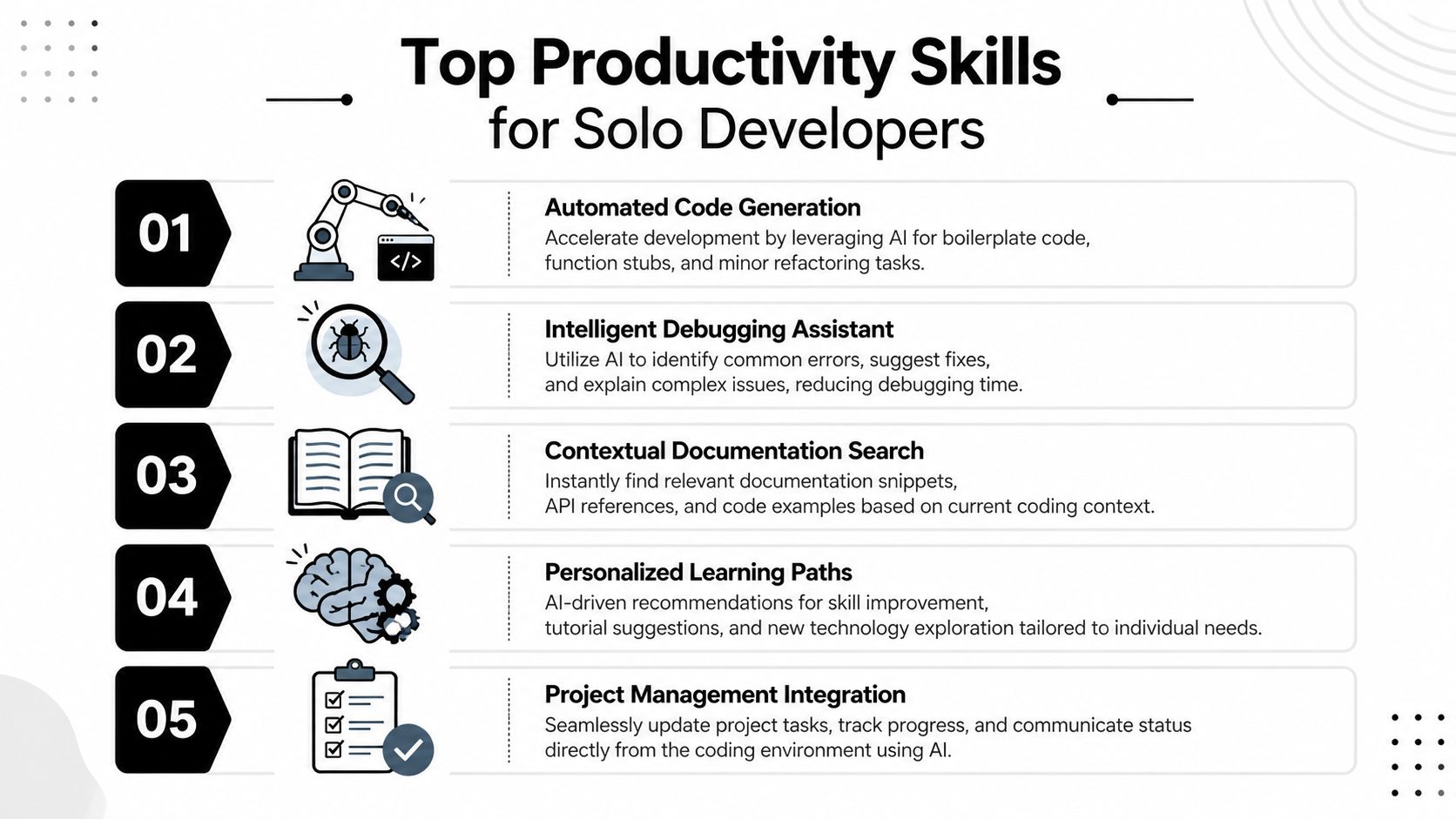
Solo developers don’t need a giant skill library. They need a handful of skills that remove repetitive work without adding complexity. The usage data is revealing here. In 2026, code-reviewer leads with 116 installations, followed by git-commit-writer with 65, readme-generator with 49, and pr-description-writer with 36 (top-installed Claude skills data).
Those rankings make sense. The biggest daily drag for solo builders usually isn’t writing the first draft of code. It’s cleaning up the work around it.
The four skills I’d install first
| Skill | Best use | What it replaces |
|---|---|---|
| code-reviewer | Pre-PR review and local checks | Manual self-review fatigue |
| git-commit-writer | Clean commit messages | Last-minute vague commits |
| readme-generator | Project docs and setup notes | Delayed documentation |
| pr-description-writer | Pull request summaries | Messy PR context writing |
The pattern is obvious. These skills don’t just save time. They reduce context switching.
A solo builder might spend the morning shipping a feature, then lose momentum writing commit messages, README updates, and PR notes. These skills keep the work moving in one environment.
Where each one earns its keep
code-reviewer is the best default pick because it catches obvious issues before another human sees them. I don’t treat it as a replacement for serious review. I use it as a first-pass filter that spots style drift, missing checks, and weak logic explanation. If you want a broader look at where this fits in engineering process, this guide to AI Code Review Automation is worth reading.
git-commit-writer matters more than people think. A clean commit history makes future debugging less painful, especially when you come back to a side project after a few weeks and can’t remember why you changed a file.
readme-generator is underrated because documentation debt starts early. Even tiny projects benefit from setup notes, environment assumptions, and usage examples captured while context is fresh.
pr-description-writer shines when you’re collaborating asynchronously. A good PR summary explains scope, risks, and what needs attention. A weak one forces reviewers to reconstruct your intent from diffs.
The right productivity skill isn’t the one with the flashiest demo. It’s the one you still use when you’re tired and trying to finish a feature at midnight.
Two more that matter in real work
Beyond the install leaders, I’d also keep an eye on frontend-design and temporal-reasoning-sleuth. The first helps avoid stale, generic interfaces. The second is useful when your task depends on event order, timelines, or sequence-sensitive debugging.
That’s where solo workflows get interesting. One skill handles polish. Another handles reasoning.
If you’re building a lean stack around personal output, this roundup of best AI productivity tools helps place Claude skills in the wider toolchain rather than treating them as a closed ecosystem.
What to measure as a solo builder
Keep it simple:
- Review friction: Are you finding fewer obvious issues after code-reviewer runs?
- Docs coverage: Are README updates happening at the same time as feature work?
- PR clarity: Are future-you or collaborators asking fewer “what changed?” questions?
- Commit quality: Does your git history explain the project without opening every diff?
If the answer stays yes, the skill stays installed.
Essential Enterprise and Security Skills
Most “best skills” lists stop at productivity. That’s fine for hobby projects. It breaks down in production.
The core enterprise question is simpler and harsher. Which Claude skills help you move faster without creating audit, security, or data handling problems you’ll regret later?

That gap is now visible in demand. 40% of AI tool queries on directories involve “secure AI coding assistants,” yet existing guidance often skips vulnerability auditing and HIPAA or GDPR-minded file processing concerns (enterprise security gap for Claude skills). That tells you what teams want help with.
The skills that matter once risk enters the room
Three categories matter most.
First, security analysis skills like Trail of Bits Security. These are the skills I’d put closest to the development path because they help catch issues before code moves further downstream. If a skill can run CodeQL or Semgrep analysis before merge, that’s not a nice-to-have. It’s part of the delivery system.
Second, controlled data access skills like Firecrawl. Web access sounds harmless until an agent starts pulling external content into a sensitive workflow. In enterprise setups, the question isn’t “can it browse?” It’s “what can it reach, what can it store, and who approved that scope?”
Third, workflow-composition skills such as GStack and domain-specific processing skills for documents or browser automation. These can be powerful, but they also expand the blast radius when policies are weak.
The wrong way to deploy skills in business systems
The common failure is importing community skills into production because they look useful, then trusting them without review. That’s backwards.
Use a simple screening process:
- Read the trigger logic: If activation is vague, the skill is dangerous.
- Inspect external actions: Any API call, browser action, or file operation needs explicit review.
- Check for data assumptions: A document-processing skill may behave very differently in healthcare than in a startup CRM workflow.
- Test with redacted samples: Never start with live sensitive material.
- Separate local and production skill sets: Not every useful dev skill belongs in a regulated environment.
Community skills are great for discovering patterns. They are not automatically safe for regulated work.
Here’s a related angle many teams miss. If your data workflows already rely on structured retrieval and query layers, this guide on SQL and artificial intelligence helps clarify where agentic tooling should sit relative to governed data systems.
A short demo often helps teams understand what “enterprise-ready” looks like in practice.
A counter-intuitive view
For many teams, the best enterprise Claude skill isn’t the most advanced one. It’s the one with the narrowest approved scope.
A small security skill that runs pre-commit checks is often more valuable than a sprawling “do everything” assistant with access to repos, documents, web tools, and customer systems. Narrow tools are easier to review. Easier to monitor. Easier to trust.
That’s what makes this part of the best claude code skills 2026 discussion more important than the usual ranking list. At scale, governance beats novelty.
Building Custom Workflows with Skill Creator
Prebuilt skills get you started. Custom skills are where the true power becomes apparent.
The reason is simple. Every team has recurring rules that never quite fit generic community skills. Naming conventions, migration review rules, API contract checks, release note formatting, support handoff summaries, internal security steps. Once those patterns repeat, they belong in a skill.
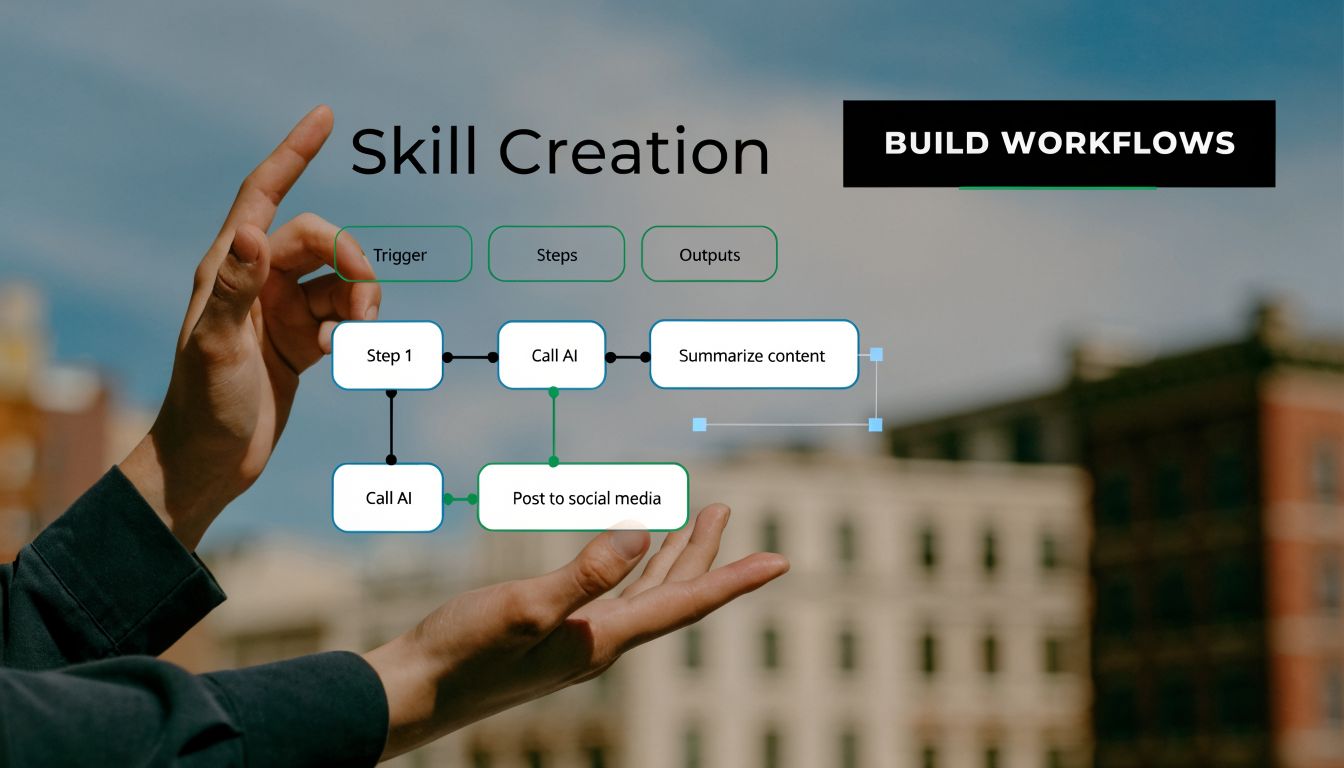
The best way to create them is with /skill-creator, which uses a 5-step interactive workflow. Official Anthropic skills built with this methodology have shown 10x coding speed and have also reduced “AI-generated” UI flags by 90% in blind tests (skill-creator workflow and benchmarks).
The five-step workflow that actually works
Here’s the sequence that matters.
Elicit requirements
Start by forcing specificity. Good custom skills begin with edge cases, expected output format, failure modes, and the exact point in a workflow where the skill should activate.Generate a draft
The first draft should include triggers, imperative instructions, and examples of good and bad outputs. Keep it operational, not literary.Test in-session
Run the same task with and without the skill. Compare output quality, adherence to team rules, and whether the skill introduces friction.Refine and version
Update the file like code. Note what changed and why. If the skill starts creating regressions, rollback needs to be easy.Deploy conditionally
Load the skill only when the task warrants it. Don’t make every session carry every rule.
A real build pattern for founders and operators
A useful first custom skill is not “write code better.” That’s too broad. Build something narrower, such as:
- Feature spec reviewer for checking implementation plans before coding
- Release note formatter for turning merged work into customer-facing updates
- Migration safety checker for schema changes and rollback reminders
- Support handoff writer for converting bug fixes into internal support notes
That’s where proprietary advantage starts. The skill captures your process, not just generic coding advice.
If you’re comparing orchestration options around these flows, this list of Top AI Workflow Automation Tools for 2026 is useful because Claude skills often work best as part of a larger automation layer, not in isolation.
Build advice: Your first custom skill should encode one repeated business rule with obvious pass or fail output. If it tries to solve ten problems, it will solve none of them well.
What strong custom skills have in common
They are opinionated. They know when to activate. They include examples. They have owners.
Weak custom skills usually come from copying a long internal process doc into a markdown file and hoping Claude figures it out. That almost always fails because the skill isn’t structured around decisions and outputs.
For teams deciding when to use Claude-native routines versus broader workflow automation, this comparison of Claude Code routines vs n8n is a strong complement to custom skill design.
How to judge whether a new skill is worth keeping
Ask four questions:
- Did output quality improve in a visible way?
- Did the skill reduce manual cleanup work?
- Did it introduce confusion about when it should run?
- Can another teammate use it without extra explanation?
If the answers are mixed, simplify the skill before expanding it.
Avoiding Common Pitfalls and Performance Traps
In production environments, a small set of poorly scoped skills causes a disproportionate share of failures. The pattern is predictable. Teams add skills faster than they define activation rules, ownership, and security boundaries.
The result is not just slower output. It is inconsistent behavior, harder audits, and more chances for a skill to pull the wrong context into a sensitive workflow.
The anti-patterns that create the most trouble
The first problem is default-loading too many skills. That looks harmless in a demo. In an enterprise codebase, it creates instruction collisions, token waste, and review noise. If a developer cannot explain why a skill activated on a specific task, the activation logic is already too broad.
Another common failure is the policy dump. Teams paste long internal guidance into a skill file and expect reliable execution. Claude handles explicit decision rules, input conditions, and output formats far better than a long narrative document. Good skills read like operating instructions. Bad ones read like a handbook.
The third trap is mixing security policy with productivity helpers in the same skill. Keep those concerns separate. A code review skill should not also decide data handling rules, approval paths, and deployment checks unless you want every update to become a governance review.
Planning matters here because performance and security are linked. A vague skill does not only waste tokens. It increases the chance of exposing internal conventions, over-scanning files, or producing output that bypasses team controls.
What strong teams do instead
- Use narrow triggers: Map each skill to a clear task, repo area, or file pattern.
- Keep files short: Cut background explanation and keep the instructions that change model behavior.
- Separate reusable constraints: Shared security or compliance rules belong in one maintained layer, not copied into five different skills.
- Assign an owner: Every production skill needs someone responsible for changes, tests, and retirement.
- Measure before keeping: If a skill does not improve review quality, reduce cleanup, or lower risk, remove it.
I have seen teams get better results from six well-scoped skills than from thirty loosely defined ones.
What to monitor
Watch operational signals that map to real cost and risk. Measure manual cleanup after generated output. Track whether latency stays acceptable in live coding sessions, not just one-off tests. Review activation logs to see which skills fire, which never fire, and which fire on the wrong prompts.
Security teams should also inspect file access patterns and external actions. A useful skill that reads too broadly or calls tools without tight controls is still a bad production skill.
For teams trying to reduce context bloat without weakening output quality, these Claude Code token management hacks pair well with skill reviews.
The practical standard is simple. A skill should activate predictably, improve one repeatable task, and stay inside clear security boundaries. If it fails any of those tests, fix it or delete it.
Frequently Asked Questions About Claude Skills
How do I manage API keys safely inside Claude skills
Don’t put secrets directly into the skill file. Keep credentials outside the markdown, scope access narrowly, and review any skill that makes external calls before it reaches production use. The skill should describe the action, not carry the secret.
What’s the best way to share skills across a team
Treat skills like code artifacts. Store them in version control, assign ownership, and require review for changes. Teams get into trouble when everyone keeps local variants with slightly different behavior.
Can community-made skills be trusted in production
They can be useful starting points, but trust comes after review and testing. Read the trigger logic, inspect file and network behavior, and test with safe data first. For regulated environments, assume every community skill needs adaptation.
Which skill should most teams build first
A review-oriented skill usually gives the fastest payoff. It’s easier to evaluate because you can compare outputs before and after, and it captures internal standards without exposing too much operational risk.
Are Claude skills better than one well-written master prompt
For repeated work, yes. Skills are easier to version, reuse, and improve. A master prompt can work for one person. A team needs something more structured.
Oryndex helps founders, builders, and operators find practical AI tools without drowning in vendor noise. If you’re comparing coding assistants, workflow tools, data products, or compliance-focused software, Oryndex gives you a curated way to evaluate fit faster.