
Unlock Efficiency: Claude Code Token Management Hacks

Matic Pogladič
18 April 2026

TL;DR: The best Claude Code Token Management Hacks are the ones that stop waste before it starts: use the cheapest model that can do the job, preload only the context that matters, aggressively summarize long sessions, and force shorter outputs. In extended Claude Code chats, one tracked session found 98.5% of all tokens went to rereading prior messages, not new work, and message 30 cost 31 times more than message 1, which is why session design matters more than buying a bigger plan (developer analysis of Claude Code token rereads).
Your Claude session just ended again. You were halfway through a refactor, Claude had finally loaded the right files, and then the session tipped over from useful to bloated. That break in flow is what usually pushes teams into bad habits. They blame the plan, the model, or the context window, when the underlying issue is usually sloppy token discipline.
That's a point often missed.
Claude Code Token Management Hacks aren't about one magic prompt. They're about preventing silent waste from stacking up across a session, across a week, and across a team. In practice, the biggest wins come from reducing rereads, controlling output length, narrowing what enters context, and keeping orchestration sane when you move beyond solo use.
I learned this the expensive way on a coding workflow that looked efficient from the outside. The prompts were clean, the model was strong, and the results were good. The bill still hurt because we kept reloading too much shared context and letting the model talk too much. The fixes weren't glamorous. Shorter replies, tighter sessions, filtered inputs, and better handoffs did more than any heroic prompt.
This guide moves in phases. Quick wins first. Then the habits that hold up when usage gets serious. Then the advanced moves that matter once you're running multi-step or multi-agent workflows in production.
1. Hack 1 Model and endpoint optimization selection
Teams frequently waste tokens before the first real optimization mistake. They pick one model and use it for everything. That feels simpler, but it’s a bad production habit.
A codebase has mixed work. File classification, shallow cleanup, naming changes, lint-style checks, and simple transformations don’t need your most expensive reasoning path. Hard architectural trade-offs, complex debugging, and unfamiliar code generation do. If you send every task to the top shelf model, you pay premium rates for routine work and you often get longer responses than you wanted.
A better pattern is tiered routing. Cheap model first. Stronger model only on escalation.
Where teams usually get this wrong
The mistake isn’t only “using Opus too often.” It’s keeping the orchestrator on the same expensive setting as the specialist. In production multi-agent setups, that compounds fast. One YouTube case study describes a workflow with 20+ agents on Opus and a 1M token context that still ran past a $200/month Max plan despite earlier fixes, which is exactly why model assignment matters at orchestration level, not just prompt level (multi-agent scaling pain in Claude Code).
That’s the counter-intuitive part. The coordinator usually doesn’t need the sharpest knife.
Practical rule: Put the “thinking about who should do what” layer on the cheaper competent model. Save the premium model for the narrow task that actually needs it.
If you’re comparing workflows or trying to decide how Claude Code fits against other coding stacks, Open Code vs Claude Code is a useful framing reference because the tooling choice affects how much orchestration overhead you’ll carry.
A routing pattern that actually holds up
I’ve had the best results with a simple split:
- Cheap executor for routine work: Use the lightweight tier for classification, formatting, extraction, and constrained rewrites.
- Mid-tier default for most coding tasks: Keep your day-to-day refactors, tests, and code review passes on the balanced model.
- Premium specialist only on hard calls: Escalate only when the task involves architecture, novel generation, or deep reasoning.
- Fallback path for failure cases: If the cheap pass returns weak output, retry on the stronger model instead of starting strong every time.
That same logic applies to asynchronous endpoints. If the result doesn’t need to come back while a developer is waiting, process it outside the hot path. Batching and deferred execution won't make a bad prompt good, but they reduce the temptation to keep an interactive session alive longer than it should be.
For search visibility inside AI systems, the same discipline matters in content pipelines too. That’s one reason I recommend learning the mechanics behind Generative Engine Optimization. Cost control and retrieval quality are tightly linked.
2. Hack 2 Token budget planning and cost modeling
Monday starts with a familiar problem. A feature ships with “just a little Claude” in the loop, usage climbs, and by the end of the month nobody can say which workflow is eating the budget. That is the point where token management stops being a prompt problem and becomes an operations problem.
This phase sits right after model selection. Quick Wins got you onto the right model and endpoint. Scaling Up means putting spend limits around real workflows before they drift.
Budget by workflow, not by provider invoice
A single AI line item is too blunt to manage. Claude spend comes from different failure modes, so the budget needs separate buckets:
- Input load: code, docs, logs, and history sent into the model
- Output generation: the model’s reply length and format
- Orchestration overhead: retries, tool calls, session churn, and glue logic around the request
That split matters because each bucket is controlled differently. Input costs rise when teams keep stuffing extra files into context. Output costs rise when prompts allow essays instead of bounded answers. Orchestration costs rise when background jobs retry badly shaped requests or keep long-lived sessions around.
For broader planning around builders’ tool stacks, AI tools for software development is worth bookmarking because Claude rarely exists alone in a real dev workflow. The same budgeting discipline shows up in adjacent content systems too, especially if you compare your stack against other best AI tools for content creation and need one cost model that spans coding and generation work.
Use a simple model your team will maintain
The best budget model is the one owners will update every month. Keep it plain and tied to the product surface area that creates spend.
I use four controls:
- Per-feature budget: set a monthly token ceiling for each user-facing feature
- Per-workflow budget: split interactive coding, batch jobs, review pipelines, and content generation into separate tracks
- Per-owner visibility: assign a person to each workflow so anomalies have a name attached
- Escalation threshold: require review when a workflow exceeds its normal burn rate or starts missing its cost target
That is enough to catch problems early.
A small team prototyping a coding assistant may only need per-workflow tracking. A product team running several Claude-backed features in production usually needs per-feature budgets and owner-level reviews. This is the Scaling Up stage of the roadmap. It adds accountability without forcing finance-grade forecasting.
Model the failure case first
Teams usually estimate the happy path and get surprised by the exception path. The expensive version is easy to spot in hindsight. A prompt asks for a short answer, the model returns a long explanation, the system retries after a formatting miss, then the developer asks a follow-up inside the same swollen session.
Budget that path first.
One ecommerce team may assume the catalog payload is the main cost in product copy generation. In practice, the waste often comes from verbose responses with rationale, alternatives, and commentary nobody needs. The same pattern shows up in engineering workflows. A review assistant that should return five issues instead produces a page of prose, then gets asked to summarize its own answer.
Budget the failure mode, not the ideal case.
That one rule catches more waste than most prompt tweaks.
The planning sheet should be boring
A useful budget document does not need formulas scattered across ten tabs. It needs fields that force good decisions before rollout:
- Task name
- Expected input shape
- Allowed output format
- Default model
- Escalation model
- Retry policy
- Owner
I have seen teams skip output format and retry policy, then wonder why costs drift. Those two fields expose whether you are paying for useful work or for avoidable churn.
Perfect forecasts are not the goal. Early warning is the goal. Once a “small helper” has an owner, a token ceiling, and a defined failure path, it stops turning into a quiet quota burner.
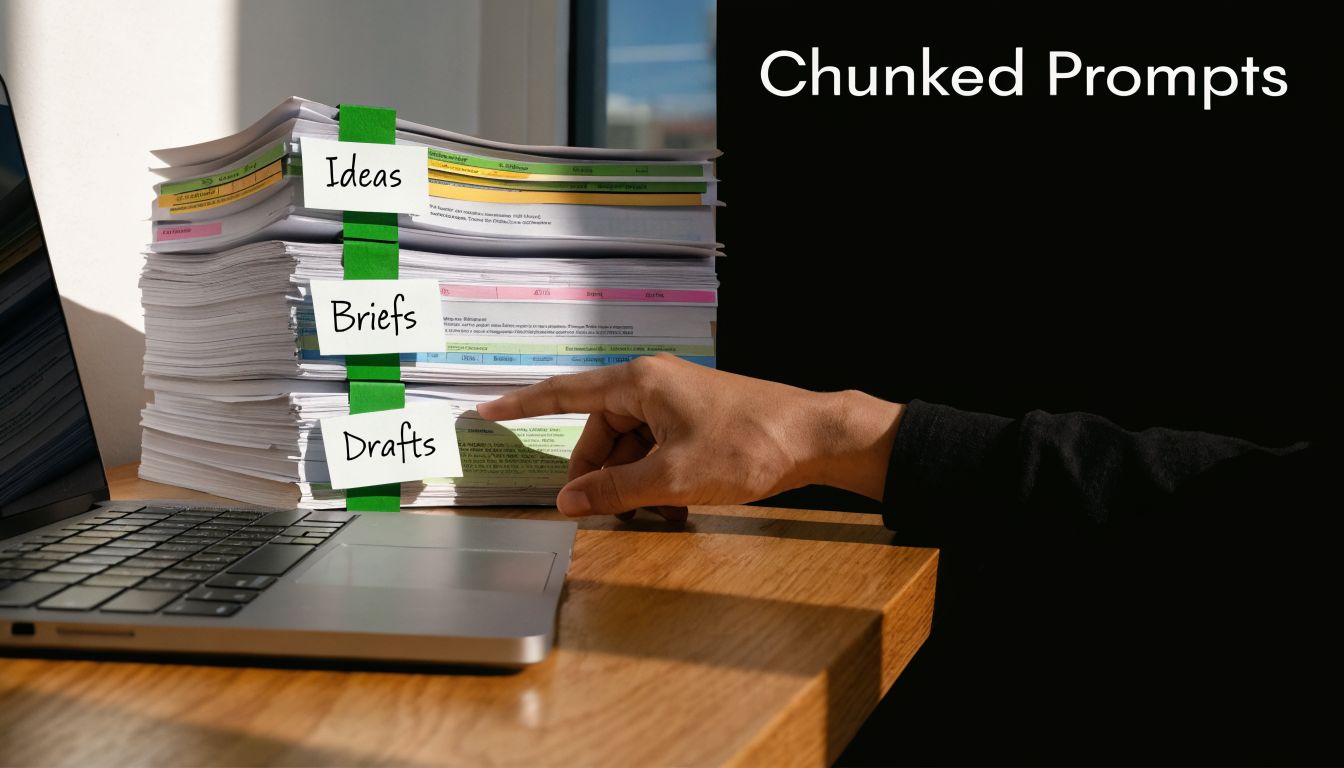
3. Hack 3 Prompt compression and chunking
You ask Claude to debug a failing endpoint and paste in the controller, service, stack trace, config, and a week of prior notes. The first answer looks useful. The next six turns get expensive because every small follow-up now drags that baggage along.
Prompt compression is one of the fastest Quick Wins in this roadmap because it does not require new infrastructure. It requires discipline. The rule is simple: send only the context needed for the next decision, not the whole case file.
Chunking works best when the chunk matches the unit of work. For code, that is usually one file, one bug, one refactor target, or one failing test path. For docs, it is the relevant section plus the style constraint, not the full handbook. Arbitrary character limits are weaker because they split context in places the model cannot use cleanly.
A practical chunk usually has four parts:
- Target: file, function, route, test, or document section
- Intent: bug fix, review, rewrite, summarize, extract
- Constraints: what must not change, expected output shape, edge cases
- Minimal evidence: only the lines, logs, or snippets needed to act
That structure keeps Claude focused and keeps your token bill predictable.
Compression matters as much as chunking. Raw logs, copied terminal sessions, and repeated requirements waste tokens fast. Strip noise before you send it. Keep the first failing stack trace, the relevant config keys, the exact error text, and the contract the code must preserve. Drop duplicate traces, successful requests, and commentary the model can infer from the code.
I use a staged pattern that holds up well under pressure:
- Start narrow. Send the smallest useful slice.
- Ask for a bounded output. Patch, diff summary, root-cause guess, or test plan.
- Expand one layer at a time. Add the adjacent file or config only if the first pass exposes a dependency.
- Carry forward a compressed summary. Keep decisions, assumptions, and unresolved risks. Drop everything else.
Here is the trade-off. Smaller chunks can increase the number of calls. Huge prompts increase the cost of every call and make later turns worse. For solo prototyping, a slightly larger prompt can be fine if speed matters more than spend. Once the workflow is repeated by a team or wired into CI, disciplined chunking usually wins on both cost and reliability.
A debugging example makes the difference clear. Do not send the entire error log, the whole controller, the related service, and three config files in one request. Send the failing stack trace, the minimal function path, and the interface that must stay stable. If Claude cannot isolate the issue, add one dependency layer. That approach prevents over-analysis and reduces the odds of the model "fixing" unrelated code.
Teams scaling into retrieval-heavy workflows should also compare RAG tools for selective context loading. Good retrieval setup reduces how often you need to hand-pack large prompts in the first place.
Compression is not about starving the model. It is about paying for signal instead of clutter.
4. Hack 4 Context caching and memory management
You feel this problem in the middle of a real session, not in a pricing spreadsheet. A Claude Code thread starts clean. Twenty or thirty turns later, even short follow-up prompts get expensive because the model is rereading old context every time.
That pattern matters more as you move from quick wins into scaling up. Early on, a long running chat feels convenient. In production workflows, it turns into a quiet tax unless you decide what should persist, what should expire, and what should be rewritten as a compact summary.
A short note before the clip below. This breakdown explains why long sessions get expensive even when new prompts stay small.
Cache the boring stuff first
The highest return usually comes from stable context that gets repeated across requests:
- system prompts
- coding standards
- repo conventions
- architecture notes that change slowly
- project glossaries and naming rules
These are good cache candidates because they have high reuse and low churn. If a block changes every few hours, do not put it in your persistent layer. You will spend the savings later debugging bad assumptions.
For teams building retrieval-heavy workflows, RAG tools for selective context loading are worth comparing before you build your own memory layer from scratch.
Split memory by lifespan
This is the implementation detail that saves money and avoids weird behavior.
Use at least two memory layers. One for persistent project context. Another for session scratch space. In larger systems, add a third layer for task summaries or handoff notes. That separation keeps evergreen guidance from getting polluted by temporary debugging noise.
A practical setup looks like this:
- Persistent cache: project rules, stable docs, interface contracts
- Session memory: current objective, active files, temporary hypotheses
- Handoff summary: decisions made, constraints, unresolved risks, next step
Persistent context should stay boring. Session memory can be messy. Handoff summaries should be short enough to replace a long thread when you need to start fresh.
The common failure mode
Teams usually do not fail because they forgot to cache. They fail because they cache too much.
Logs, stack traces, exploratory guesses, and half-formed plans age badly. If that material stays in memory, Claude keeps treating it as live context. The result is familiar. Higher token burn, more drift, and answers anchored to stale details that no longer matter.
That is why summary refresh beats transcript preservation. Keep the decision, the constraint, and the open question. Drop the rest.
Use restart points on purpose
Old session continuation is convenient, but convenience is not the same as efficiency. After a break, a resumed thread can pull a large history back into play even when the next message is tiny. I have had better results treating long sessions as disposable and creating explicit restart points with a compact handoff.
A good restart note includes:
- current goal
- files or modules in scope
- confirmed facts
- rejected approaches
- output format required next
That gives Claude enough continuity without dragging the full chat behind it.
Phased rollout
For a solo prototype, start simple. Cache stable instructions and keep a running summary after meaningful turns.
For a team workflow, separate persistent project memory from task memory and define who updates summaries.
At production scale, add TTL rules, invalidation triggers, and instrumentation. Track when cached context was last refreshed, what component wrote it, and which sessions consumed it. If you cannot answer those questions, your memory layer will eventually cost more than it saves.
5. Hack 5 Selective information loading and filtering
You ask Claude to debug a failing checkout flow. Instead of the five lines that explain the failure, it gets 4,000 lines of logs, three unrelated warnings, a full config dump, and half the repo tree. The model can sort through it, but you just spent tokens on janitorial work.
Selective loading fixes that. Run cheap filtering before Claude sees anything, then send only the material tied to the decision in front of you. In practice, this is usually the first Advanced Optimization step that pays off after the quick wins are already in place. Prompt trimming helps. Preprocessing the input usually helps more.
Teams that do this well stop treating the model like a universal parser. They use scripts, retrieval rules, SQL queries, grep, AST tools, and log filters to shrink the payload before inference starts. Earlier in the article, I mentioned aggressive token cuts from preprocessing. This is the stage where those savings usually show up.
Load evidence, not raw exhaust
The rule is simple. Claude should receive evidence, not exhaust.
For debugging, that means the failing request, the exception chain, the nearby trace window, and the one config value that changed behavior. For code work, it means the touched files, call sites, and interfaces in scope. For analytics, it means aggregates, outliers, and the subset of rows that explain the anomaly. For document review, it means the clauses tied to the question, plus enough surrounding text to preserve meaning.
This sounds obvious until a system reaches production scale. Then every team starts passing full payloads "just in case," and token costs climb without improving output quality.
Filtering patterns I trust
These patterns hold up under real workloads:
- Error triage: Send the relevant time window, stack trace, request ID, and upstream dependency result.
- Code retrieval: Load the changed files, direct imports, test failures, and API contracts that constrain the fix.
- Tabular analysis: Pre-aggregate counts, null rates, outliers, and category splits before asking for interpretation.
- Document review: Retrieve the exact section, surrounding clauses, version metadata, and any conflicting language.
- Agent pipelines: Give each step a narrow artifact instead of forwarding the entire upstream context.
For teams building internal assistants or chatbot development services, architecture starts to matter. A retrieval layer that returns small, relevant artifacts beats a general-purpose prompt stuffed with source material every time.
The trade-off that bites people
Overfiltering causes a different failure mode. Claude gives a clean answer from an incomplete record.
I have seen this happen with log pipelines that dropped the one warning pointing to a timeout upstream, and with document filters that removed the clause that changed the legal meaning of the section. The fix is not "send everything." The fix is a two-pass path.
Start lean. If uncertainty stays high, if outputs conflict, or if the answer depends on missing evidence, expand the source window on demand. Good selective loading keeps a clear route back to the original material instead of forcing the first pass to carry all of it.
That is the roadmap here. Quick Wins remove obvious junk. Scaling Up adds repeatable retrieval and preprocessing rules. Advanced Optimization turns filtering into part of the system design, with confidence checks and fallback expansion built in.
6. Hack 6 Conversation state management and session optimization
A long Claude session usually starts cheap and ends expensive.
The failure mode shows up around hour two. The task has drifted through debugging, design discussion, partial fixes, and dead-end experiments. Claude is still carrying that baggage forward, so each new turn costs more and has more room to anchor on stale context. In multi-step workflows, the waste gets worse because separate tools or agents often rehydrate overlapping history.
Quick Wins start with one rule. Stop treating the chat transcript as your system of record.
I trust a three-layer session model:
- Live task state: The minimum context needed to finish the current step
- Decision log: Short notes on what changed, what was approved, and what constraints still apply
- External archive: Full transcripts, logs, and side paths stored outside the active session
The decision log does the primary work. It preserves continuity without forcing Claude to reread every detour, failed hypothesis, and repeated instruction.
That matters for more than solo coding. Teams shipping internal assistants, support bots, or products tied to chatbot development services feel this in cost, latency, and answer quality. Bad session discipline turns into a platform tax.
Quick Wins: reset more often than feels natural
Developers often keep one session alive because context feels valuable. Some context is valuable. Old context is often just expensive.
A better pattern is short working sessions with explicit handoffs. Finish a subtask, write a compact checkpoint, then start the next session with only the current objective plus the decision log. For bug fixing, that might be the failing component, the confirmed root cause, and the constraints on the fix. For feature work, it might be the accepted API shape and the one file tree Claude needs right now.
This is boring process work. It saves real money.
Scaling Up: make compaction a standard artifact
Once a project has multiple contributors or repeated workflows, manual summaries get inconsistent. At that stage, define a fixed handoff format and use it every time. A small template library helps. Teams can borrow ideas from structured prompt and response templates to keep session summaries predictable.
A solid checkpoint usually includes:
- active goal
- completed steps
- decisions locked in
- open risks
- next action
- files, endpoints, or tests that still matter
Keep it terse. If a summary starts reading like a retrospective, it is too long for live context and belongs in the archive.
Advanced Optimization: separate memory from conversation
Production systems need a clean boundary between what the model sees now and what the application can fetch later. Conversation history should not be your only memory layer. Store durable facts, approved decisions, and task status separately, then inject them only when the current step requires them.
There is a trade-off here. Aggressive compaction can hide the one discarded detail that explains the bug or changes the implementation choice. The fix is not to keep everything live. The fix is to keep retrieval paths back to the archive so the system can expand context on demand when the current summary is not enough.
That is the roadmap for this hack. Quick Wins shorten sessions and add manual checkpoints. Scaling Up standardizes handoffs. Advanced Optimization moves memory into application state, where it belongs.
7. Hack 7 Structured output and response templating
You see this problem late in the rollout. The prompt is already tight, retrieval is under control, and session state is behaving. Then a simple code review pass comes back as six polished paragraphs instead of five fields your tool can use. Output bloat becomes the next token leak.
Teams often focus on shrinking input and forget that output is billable too. A GitHub project on token-efficient Claude usage notes that loose response formatting can drive costs up fast when verbosity is not constrained (claude-token-efficient on controlling Claude response length).

Quick Wins: force a smaller answer surface
Start by defining the output shape before touching the wording of the prompt. If the next step only needs status, severity, file, and fix, ask for those fields and nothing else. Mechanical workflows do better with rigid structure than with "helpful" prose.
A few constraints pay off immediately:
- Schema-first requests: Ask for JSON, arrays, or fixed key-value blocks.
- Minimal prose rules: State that explanations are only allowed when a field cannot be filled.
- Compact field names: Short keys matter when the same template runs thousands of times.
- One record per issue: Parsing stays simple, audits get easier, and responses stay shorter.
If you are standardizing this across a team, a library of structured response templates for AI workflows saves time and cuts drift between contributors.
Scaling Up: template for the consumer, not the model
The practical mistake is designing prompts around what sounds natural to read. Design them around what the caller needs to parse. That means stable keys, predictable ordering, and explicit limits such as "max 3 issues" or "one sentence per fix."
I use a simple rule here. Every extra sentence in the default response must justify its cost.
For code review triage, a compact schema like file, line, issue_type, risk, fix is usually enough. If a reviewer wants more detail, request expansion for one item at a time. That keeps the common path cheap and pushes long-form output to the rare cases that need it.
Advanced Optimization: separate summary mode from explain mode
At production scale, one template is rarely enough. You need at least two. One for machine consumption, one for human inspection. Trying to combine both into a single default response usually gives you the worst of each: verbose enough to cost money, inconsistent enough to break parsers.
A better pattern is staged output. First call returns the compact schema. Second call, only when requested, expands a single record into rationale or remediation steps. This adds a round trip, so there is a latency trade-off, but it usually lowers total token spend and keeps downstream automation stable.
Verbose answers are not smarter answers. They are often just expensive.
For this phase of the roadmap, the sequence is straightforward. Quick Wins tighten the response format. Scaling Up standardizes templates around the consuming system. Advanced Optimization splits machine output from human explanation so you only pay for detail when someone asks for it.
Claude Code: 7 Token-Management Hacks Comparison
| Hack | ✨ Core features | 💰 Value / Cost impact | ★ UX / Effectiveness | 👥 Target audience | 🏆 Phase / USP |
|---|---|---|---|---|---|
| Hack 1: Model & Endpoint Optimization | Model benchmarking, tiered token comparison, dynamic model routing, async batch | 💰 Batch ≈50% savings; cheaper per-token with Haiku vs Opus | ★★★★ Better latency on simple tasks; needs testing | 👥 Devs, startups, marketers, solo builders | 🏆 Phase 1, cost-first model mix & async optimization |
| Hack 2: Token Budget Planning & Cost Modeling | Per-user/feature quotas, forecasting, rate limits, dashboards | 💰 Predictable budgets; prevents runaway API spend | ★★★★★ Strong financial control; requires baseline data | 👥 Founders, ops, finance teams, dev leads | 🏆 Phase 1, governance, forecasting & quota enforcement |
| Hack 3: Prompt Compression & Chunking | Document segmentation, focused prompts, convo threading | 💰 ~20–40% token reduction; faster per-chunk responses | ★★★★ Improves accuracy; increases API calls/latency | 👥 Devs, legal, content creators | 🏆 Phase 2, chunking for token-efficient multi-step tasks |
| Hack 4: Context Caching & Memory Management | Server-side prompt cache, reusable system prompts, KB pre-loading | 💰 Up to ~90% savings on cached tokens; faster repeat queries | ★★★★★ Consistent & fast; cache lifecycle complexity | 👥 Production apps, teams with repetitive workflows | 🏆 Phase 2, massive recurring cost & latency wins via cache |
| Hack 5: Selective Info Loading & Filtering | Pre-processing, relevance ranking, summarization, dedupe | 💰 ~30–60% token reduction for dense data; higher accuracy | ★★★★ Better relevance; risk of dropping needed context | 👥 Data-heavy teams, e‑commerce, research & content teams | 🏆 Phase 3, relevance-first pre-filtering before calls |
| Hack 6: Conversation State & Session Optimization | Summarization, sliding windows, session compression, checkpoints | 💰 ~40–60% cut in long-chat token bloat; lower chat costs | ★★★★ Maintains coherence; careful summary QA needed | 👥 Chatbots, pair-programming bots, CS & product teams | 🏆 Phase 3, sustain long sessions with compressed state |
| Hack 7: Structured Output & Response Templating | JSON schemas, templates, token-efficient formatting, validation | 💰 ~20–40% response token savings; easier downstream parsing | ★★★★ Highly integrable; can limit nuance | 👥 E‑commerce, devs, content & marketing teams | 🏆 Phase 3, token-efficient, machine-friendly outputs |
From token management to tool discovery
Mastering Claude’s token economy is a discipline, not a one-time fix. The big change isn’t only lower spend. It’s better control. Once you see where tokens disappear, Claude stops feeling like a mysterious cost center and starts behaving like any other system you can tune.
The first phase is usually enough to rescue a struggling workflow. Choose the right model for the job. Set token budgets before usage sprawls. Stop letting one expensive model do every task by default. Those habits don’t require a platform migration or a giant rebuild. They require someone to own the budget and say no to waste.
During the second phase, sessions start lasting longer in a way you can feel during work. Chunking prevents giant prompts from poisoning the rest of the conversation. Caching cuts down pointless rereads. Smarter memory design means you preserve decisions instead of preserving every detour. At this point, developers usually realize the problem wasn’t that Claude lacked capability. The problem was that the workflow kept asking Claude to remember too much irrelevant history.
The advanced phase matters once you move beyond solo use. Selective information loading turns Claude into the reasoning layer instead of the preprocessing layer. Better session state keeps multi-step work from collapsing under its own chat history. Structured output stops the model from spending your budget on decorative prose. That matters even more when multiple people or agents touch the same stack and nobody notices the extra cost until quotas start disappearing.
My strongest opinion here is still the least glamorous one. Teams often don’t need a higher plan first. They need better habits first. The evidence behind Claude Code token waste points in that direction. Rereads dominate. Agent overhead multiplies. Output verbosity gradually drains budgets. Those are workflow problems before they are pricing problems.
There’s also a wider lesson. Once you tune Claude, you start noticing the same pattern across the rest of your AI stack. Too many tools promise speed while hiding waste in the background. Founders and operators need a way to compare tools by practical fit, not by polished landing-page claims.
That’s why curated discovery matters. Oryndex helps reduce the search cost around the rest of your stack the same way token management reduces waste inside Claude. You can look for tools by actual job to be done, compare categories that matter to builders, and avoid spending days sorting through vendors that all sound the same. If you’re assembling an AI workflow across coding, extraction, documentation, marketing, or operations, that kind of filtering saves time before it saves money.
The main win is compound efficiency. Claude gets leaner. The rest of your stack gets clearer. Your team spends less time wrestling context, less time guessing which tool fits, and more time shipping useful work.
Start with one change that reduces rereads this week. Then fix output length. Then fix session boundaries. Those three alone usually change the economics fast.
If you're building an AI-first stack and want fewer dead ends while evaluating tools, Oryndex is a strong place to start. It helps founders, builders, and operators find vetted AI products by actual use case, so you can pair tighter Claude workflows with smarter tool selection across development, content, data, and operations.