
Claude Code Routines vs n8n: Choosing Your 2026 Automation

Matic Pogladič
20 April 2026

TL;DR: Claude Code Routines are the better fit for rapid, AI-heavy prototyping by solo developers because they can be 3-6x faster, with complex automations built in 20-40 minutes instead of 2+ hours in n8n. n8n is the better fit for stable, visually managed, deterministic workflows where a team values process visibility and explicit control over raw build speed.
The surprising part is that the "cheaper" tool often costs more once you count builder time, maintenance, and handoff friction. That's why Claude Code Routines vs n8n isn't really a feature debate. It's a decision about how your company wants to build.
The Core Question Speed vs Structure
If you're a founder deciding between Claude Code Routines vs n8n, the short answer is simple. Pick Claude Code Routines when the workflow is AI-heavy, ambiguous, and you need to move fast. Pick n8n when the workflow is predictable, auditable, and you want a visual system the team can inspect step by step.
Those choices come from two different automation philosophies. One treats automation as reasoning plus execution. The other treats automation as explicit process design.
That distinction matters more than most comparison lists admit. A startup doesn't just buy a tool. It buys a bottleneck. Claude usually creates a lighter bottleneck at the start because you can describe the task in plain English and get to a working prototype quickly. n8n usually creates a clearer bottleneck later because the logic lives in a visible graph, with deterministic paths and familiar operational patterns.
Practical rule: If the workflow spends more of its time "thinking" than "moving data," Claude is usually the better first build.
I've seen founders make the wrong call both ways. They force n8n to behave like an agent, then drown in node sprawl. Or they use Claude for a rigid business process that really wants a stable scheduler and visible retries. Both mistakes are expensive. Just in different ways.
Understanding the Two Automation Paradigms
n8n and Claude Code Routines overlap. But they don't start from the same mental model.
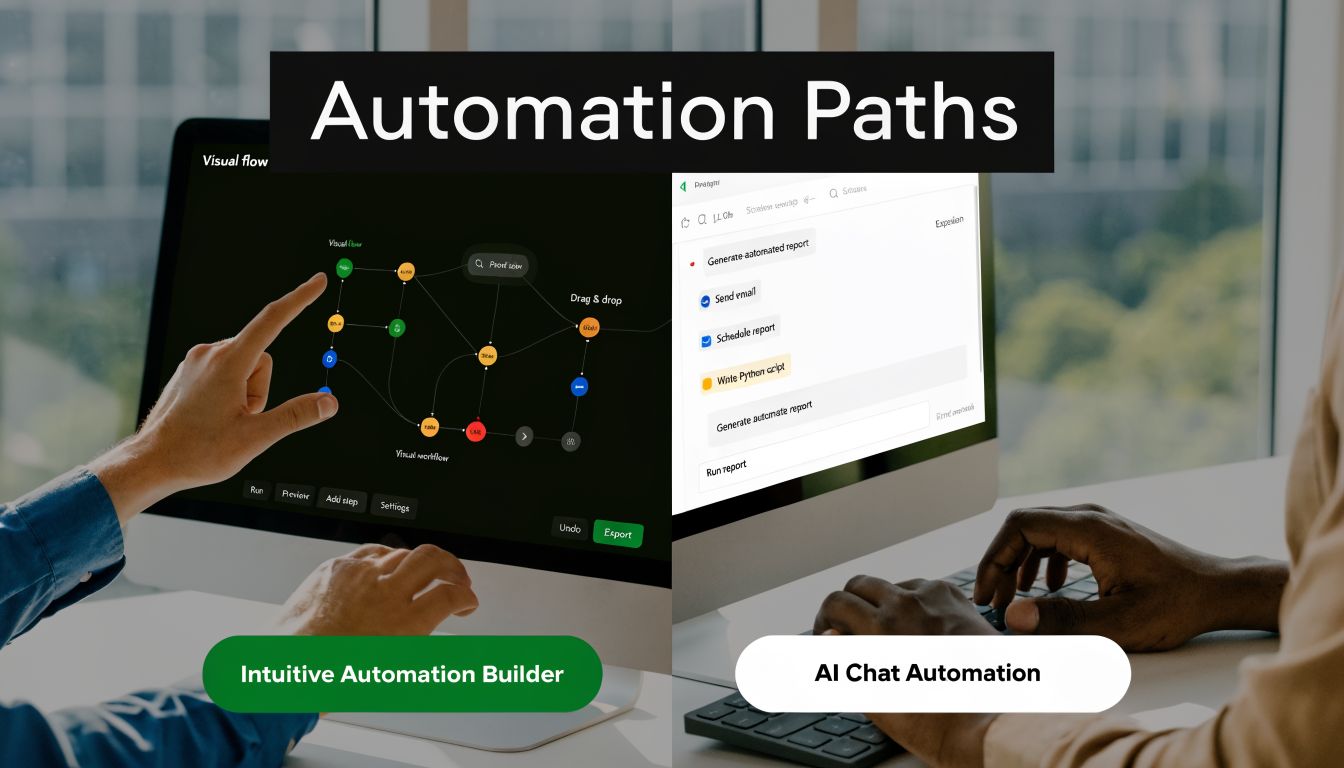
n8n as a visual system
n8n is best understood as a workflow canvas. You place triggers, actions, conditions, and transforms into a graph, then wire the data from one node to the next. It feels a lot like building with digital LEGO blocks. Structured. Visible. Constrained in useful ways.
That makes it good for teams that want to answer basic operational questions fast. What triggered this? Which branch ran? Where did the payload change? If you need a grounding resource on the underlying discipline, this explainer on what is workflow management is worth reading because it frames why repeatability and visibility matter in business systems.
For founders who are still comparing tools, Oryndex's curated page for Claude alternatives and comparisons helps situate where AI-native tools sit next to classic automation builders.
Claude Code Routines as an AI-native system
Claude Code Routines work from a different premise. You describe the job, constraints, outputs, and tools. Claude then turns that into execution logic. Instead of manually mapping every branch, you're delegating much more of the "how" to the model's reasoning layer.
A better analogy is clay, not bricks. You shape intent instead of assembling pieces.
That changes the kind of work you can automate comfortably. Email triage, research loops, classification, draft generation, synthesis, and edge-case handling all fit naturally because the system can interpret context instead of waiting for you to predefine every possible path. That's a major shift if you've spent years treating automation as only deterministic data plumbing.
Why this difference matters in practice
Founders usually don't fail at automation because the tool lacks features. They fail because the build model doesn't match the work.
Use n8n for things like:
- Structured handoffs: Move data from one app to another on a fixed trigger.
- Operational reliability: Keep a visible process for repeatable business tasks.
- Deterministic logic: Enforce known conditions, retries, and scheduled jobs.
Use Claude Code Routines for things like:
- Judgment calls: Classify, summarize, compare, and draft based on messy inputs.
- Fast prototyping: Test whether an AI-first workflow is worth productizing.
- One-off internal benefit: Build useful agents without first designing a full graph.
A node graph shows you what the system will do. A routine asks the system to figure that out.
Neither model is universally better. But mixing them up creates brittle systems fast.
Build Experience From Prompt to Production
The actual gap shows up during build, not during demos.
What the first working version looks like
For complex AI automations, Claude Code significantly outperforms n8n in development efficiency, with workflows prototyped in 20-40 minutes versus 2+ hours for n8n experts. That makes Claude 3-6x faster and shifts 70-80% of the work from visual node construction to natural language prompting, according to this comparison of n8n and Claude Code.
That single change alters how a startup experiments. You don't need to commit to a full graph before learning whether the workflow is useful. You can ask for a research agent, a triage routine, or a content prep workflow and get something operational while the idea is still fresh.
n8n can absolutely produce strong results. But the path is heavier. You define the trigger, wire intermediate steps, map fields, inspect payloads, write expressions, fix schema mismatches, then tune edge cases. That's not wrong. It's just slower when the core challenge is reasoning rather than transport.
A research agent is a good stress test
A research agent exposes the difference quickly because it mixes retrieval, judgment, summarization, and output formatting.
In Claude, the flow tends to start with a plain-English brief. Search the topic. Pull relevant sources. Identify gaps. Draft hooks. Create a summary. Output an outline. That is close to how a founder already thinks about the task.
In n8n, the same job usually becomes a chain of explicit substeps. Search input. Fetch results. Parse response. Deduplicate. Send text to an LLM node. Reformat output. Add conditions for failure states. Store or forward the result. It can work well, but the builder has to externalize much more of the logic upfront.
If you want a useful example of how AI agent design changes when buying behavior and real-world APIs get involved, Zinc's guide on how to build an AI shopping agent is a solid adjacent read. It highlights how quickly "simple automation" turns into orchestration plus reasoning.
The fastest way to learn whether an AI workflow matters is to build the ugly first version fast.
That speed has a compounding effect. Teams iterate more. They kill weak ideas sooner. They keep momentum.
Production isn't the same as prototype
Some teams misread the advantage. Claude wins the first mile. That doesn't mean it automatically wins the long run.
A routine that works in a founder demo may still need hardening before it becomes part of a customer-facing or compliance-sensitive process. n8n often catches up here because the graph makes execution paths explicit. Claude often stays ahead when the workflow remains fluid and exploratory.
A helpful frame is to compare code-first and AI-first build models directly. This write-up on open code vs Claude Code is useful if you're deciding how much control you want to preserve versus delegate.
The demo below gives a feel for the workflow style in practice.
Comparing Technical Logic and Integration Power
Speed matters. But build speed is only half the story. The harder question is this: what happens when the workflow gets weird?
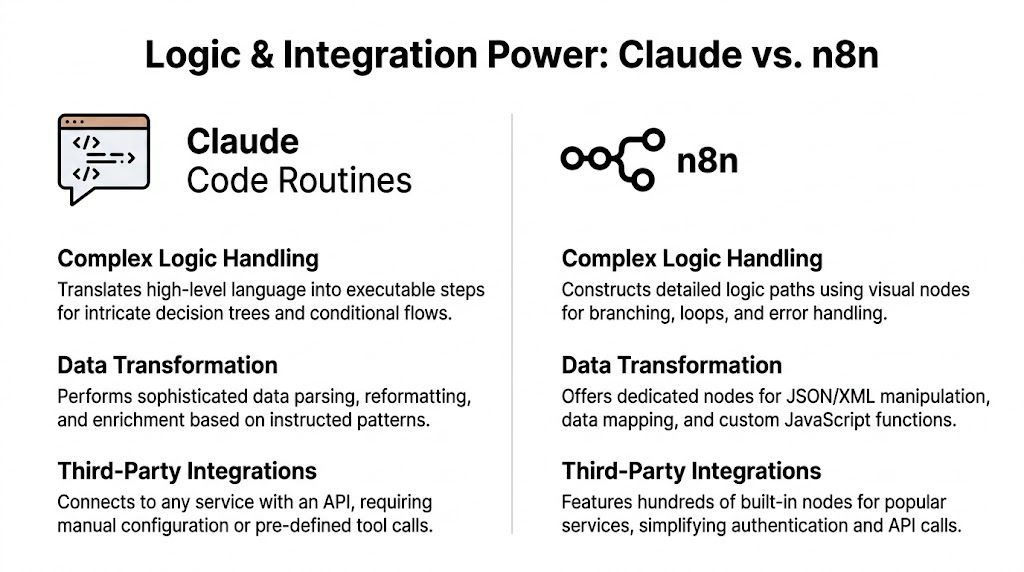
Where Claude has the edge
Claude Code Routines are strong when the data shape isn't stable or the task requires interpretation. Benchmarks cited in this Claude Code vs n8n review show that Claude can generate 90-100% complete n8n workflows through MCP server integration. The same benchmarks note a Gmail classification routine built in 4 sentences, which was equivalent to over 15 n8n nodes.
That matters because variable input is where visual flows get expensive. A payload changes slightly. An email arrives in a strange format. A record doesn't fit the expected schema. In a node-based builder, someone has to catch that explicitly. In Claude, the model can often reason through the variation if the prompt and tools are set up well.
Claude is also comfortable producing code when needed. That means it can bridge gaps between services even when there isn't a neat native abstraction for the exact thing you want to do.
Where n8n is still stronger
n8n remains better when you want known behavior from known triggers with known data transformations. It gives you a controlled execution environment, visible branches, and a familiar logic surface for integrations.
If your workflow is "new lead arrives, enrich record, route by region, notify sales, create follow-up task," n8n feels natural. The parts are concrete. The flow is inspectable. A future teammate can open it and understand the path without reading a long prompt history.
For teams evaluating implementation options, Oryndex's n8n tool profile is a practical jumping-off point because it puts n8n in the wider tooling context rather than treating it like an isolated category.
Side-by-side comparison
| Capability | Claude Code Routines | n8n |
|---|---|---|
| Logic style | Reasoning-first, adaptive, prompt-driven | Deterministic, node-driven, explicit |
| Handling messy inputs | Strong when context varies | Strong when cases are defined in advance |
| Data transformation | Flexible through generated code and reasoning | Clear through dedicated nodes and expressions |
| Integrations | Good through APIs, connectors, and generated logic | Good through native nodes and structured setup |
| Debuggability | Better for the builder who wrote the routine | Better for a team inspecting a visual run path |
| Best use case | AI-heavy tasks with ambiguity | Operational workflows with predictable states |
The integration question founders usually miss
Founders often ask, "Which one integrates with more tools?" That's a fair question, but it misses a more important one. How much integration work will your team have to own after launch?
With n8n, integration setup is usually more explicit at the start. You configure credentials, choose nodes, map fields, and test each segment. The reward is clarity.
With Claude, the setup can feel faster because the model absorbs more of the complexity. But when an external service changes behavior, your recovery path depends more on prompt quality, tool definitions, and whoever understands the generated logic.
Field note: Claude removes a lot of setup labor. It doesn't remove the need for technical ownership.
That's why the winner changes by workload. If the workflow's hard part is interpretation, Claude usually feels more powerful. If the hard part is operational reliability across many connected services, n8n still feels more mature.
Analyzing the True Total Cost of Ownership
Most comparisons falter at this point. They compare token spend to hosting fees and stop there.
Why sticker price is misleading
For a daily Gmail classification routine, Claude Routines may cost $20-50/month in tokens, while a self-hosted n8n setup can rise to $50-100/month once you include VPS scaling, monitoring, and the 30+ hour learning curve. The same analysis also argues that for SMBs under 10k monthly automations, Claude's probabilistic reasoning can reduce development costs by 70-80%, based on this cost-focused review.
That doesn't mean Claude is always cheaper. It means "free" n8n is often only free if you value builder time at zero.
Startups make that mistake all the time. A founder sees self-hosted software and assumes low cost. Then the hidden line items show up. Setup drag. Workflow debugging. Monitoring. Schema breakage. Internal ownership. The cost isn't just infrastructure. It's attention.
A better TCO lens
When I evaluate Claude Code Routines vs n8n, I use four cost buckets:
- Build cost: How long does the first functional version take?
- Maintenance cost: How often does someone need to fix, update, or rewire it?
- Cognitive cost: How hard is it for the owner to remember how it works a month later?
- Opportunity cost: What didn't your team ship because they were managing automation plumbing?
That fourth cost is the one founders ignore most. If your product lead spends half a day nursing a visual workflow, that isn't just ops overhead. That's product velocity lost.
Where each tool tends to win financially
Claude tends to win when the workflow is low-volume, reasoning-heavy, and still changing. You're paying for execution, but you're saving on setup and iteration time.
n8n tends to win when the workflow is stable, repeatable, and part of a broader operational backbone. In those cases, the visual graph and deterministic behavior can pay for themselves over time because the team isn't renegotiating the logic every week.
If you're running Claude in production, token discipline still matters. This guide to Claude Code token management is useful because cost problems usually come from poor prompt boundaries and unnecessary routine churn, not from the model alone.
Cheap infrastructure can still create expensive operations.
That's the counterintuitive takeaway. Founders should buy the lowest total drag, not the lowest monthly line item.
The Reality of Team Workflows and Collaboration
A lot of buyers assume the visual tool is automatically better for teams. I don't think that's true in practice.
Why visual doesn't always mean shareable
According to this discussion of workflow handoff issues, 60% of builders struggle to hand off n8n workflows to non-developers because the logic eventually disappears into JSON expressions and technical configuration. The same source notes that Claude routines can be managed through GitHub triggers, but early reports show a 40% failure rate in multi-user edits when teams don't enforce version control discipline.
Those numbers match what many teams feel on the ground. The canvas looks accessible at first. Then someone opens a "simple" workflow and finds expressions, data mapping rules, branch assumptions, and hidden operational context that only the original builder understands.
That's why I have a counterintuitive opinion here. A visual workflow can be more intimidating over time than a well-owned code routine, because it invites casual edits from people who can see the flow but can't fully reason about the internals.
The two common failure modes
With n8n, the failure mode is false confidence. An ops teammate sees nodes and lines, assumes the system is self-explanatory, changes something small, and breaks a downstream condition they didn't know existed.
With Claude, the failure mode is under-governed collaboration. The routine may be readable in plain English, but if multiple people revise prompts or tool definitions without clean review discipline, the behavior drifts.
Both problems are real. They just require different management habits.
What actually works in a startup team
For n8n, handoff works best when one technical owner treats the workflow like software, not like a whiteboard. That means naming conventions, comments, documentation, and controlled edit permissions.
For Claude, collaboration works best when the team accepts that routines are code-adjacent assets. They belong in a versioned process. Prompt changes need review. Tool access needs ownership. Natural language is not a substitute for discipline.
A broader roundup of AI tools for business automation is useful here because the same collaboration issue shows up across many "easy" AI products. Accessibility in the UI doesn't guarantee maintainability in the team.
Teams don't struggle because a workflow is visual or conversational. They struggle because nobody owns the logic.
If you're a solo founder, Claude often feels cleaner. If you're building a cross-functional operating layer that non-developers will inspect regularly, n8n still has an advantage. But only if someone technical owns the sharp edges.
A Decision Framework for Your Next Project
Don't choose based on hype. Choose based on the shape of the work.
Pick Claude when these conditions are true
Claude Code Routines are usually the right call if most of the value comes from interpretation. That includes classifying inbound messages, drafting outputs, summarizing research, comparing documents, or working through variable data that doesn't fit a fixed schema.
They also fit when speed matters more than ceremony. If a solo builder needs to test three automation ideas this week, the faster path is usually the better business decision.
Use Claude first when:
- The workflow needs judgment: The system must reason, not just route.
- The inputs are messy: Emails, notes, documents, and web content rarely arrive in a neat structure.
- The owner is technical: Someone can manage prompts, tools, and revisions responsibly.
- The workflow is still evolving: You expect to revise the logic often.
Pick n8n when these conditions are true
n8n is usually the stronger choice when the automation is part of your business infrastructure. It needs to run predictably, remain visible, and connect stable systems in a known order.
That includes lead routing, notifications, internal ops chains, and recurring service-to-service processes where the main value is reliability, not interpretation.
Choose n8n when:
- You need deterministic flow control across known branches.
- A team will inspect the process and wants a visible graph.
- Scheduling and operational stability matter more than rapid experimentation.
- You want clearer debugging paths for standard business workflows.
Use both when the workflow splits into thinking and plumbing
This is often the smartest setup. Let n8n handle the trigger, delivery, and operational routing. Let Claude handle the messy middle where interpretation is needed.
A simple decision checklist helps:
| Question | Better default |
|---|---|
| Does the task require nuanced judgment? | Claude |
| Is the flow mostly structured app-to-app movement? | n8n |
| Will one builder own it end to end? | Claude |
| Will several teammates need to inspect the process visually? | n8n |
| Are you still proving the workflow's value? | Claude |
| Is the process already stable and recurring? | n8n |
The fastest decision rule is this. If your automation reads more like a job description, start with Claude. If it reads more like a process map, start with n8n.
Conclusion The Right Tool for the Right Job
Claude Code Routines vs n8n isn't a contest with one winner. It's a choice between two operating models.
Claude is stronger when you need speed, adaptability, and AI-native execution for messy work. n8n is stronger when you need explicit structure, visual oversight, and deterministic operations for repeatable business processes. Founders should treat that as a workflow design question, not a branding question.
My own bias is simple. Start with Claude when you're still discovering the workflow. Move toward n8n when the workflow stops needing discovery and starts needing governance.
That line will keep shifting as both products mature. But the core split will remain. One tool helps you think through work. The other helps you lock work down.
Frequently Asked Questions
Common implementation questions
| Question | Answer |
|---|---|
| Can I migrate from n8n to Claude Code Routines without rebuilding everything? | Sometimes, yes. The practical answer depends on how much of your workflow is deterministic plumbing versus reasoning logic. If the n8n flow mostly exists to classify, summarize, draft, or interpret, Claude is a strong candidate. If the flow is mostly triggers, retries, routing, and field mapping, migration usually means redesign rather than direct translation. Start with one narrow workflow, not the whole stack. |
| Which option is better for security-sensitive teams? | It depends on your operating constraints. Teams that need strict control over infrastructure and explicit workflow behavior often prefer n8n because it fits controlled, deterministic operations better. Claude can still work for sensitive tasks, but it needs tighter governance around tool access, prompt changes, and developer ownership. The right answer comes from your internal controls, not from marketing claims. |
| How should I debug failures in each tool? | In n8n, inspect the run history, payload transitions, and branching logic first. Most failures come from schema assumptions, expressions, or connector configuration. In Claude, debug the routine like a thin software layer: tighten the prompt, make tool instructions more explicit, reduce ambiguity in expected outputs, and isolate the failing subtask before rerunning the whole job. |
Three practical answers founders usually need
The best migration strategy is incremental. Keep the stable system stable. Move only the reasoning-heavy part first.
For security, the key isn't the logo on the tool. It's whether your team can define ownership, approval, and review around the workflow.
For debugging, don't treat Claude like magic and don't treat n8n like self-documenting truth. Both need technical discipline. Just in different forms.
If you're deciding what belongs in your stack next, Oryndex is a useful place to compare vetted AI tools without drowning in vendor noise. It's built for founders, builders, and operators who want practical fit, not generic top-10 lists.