

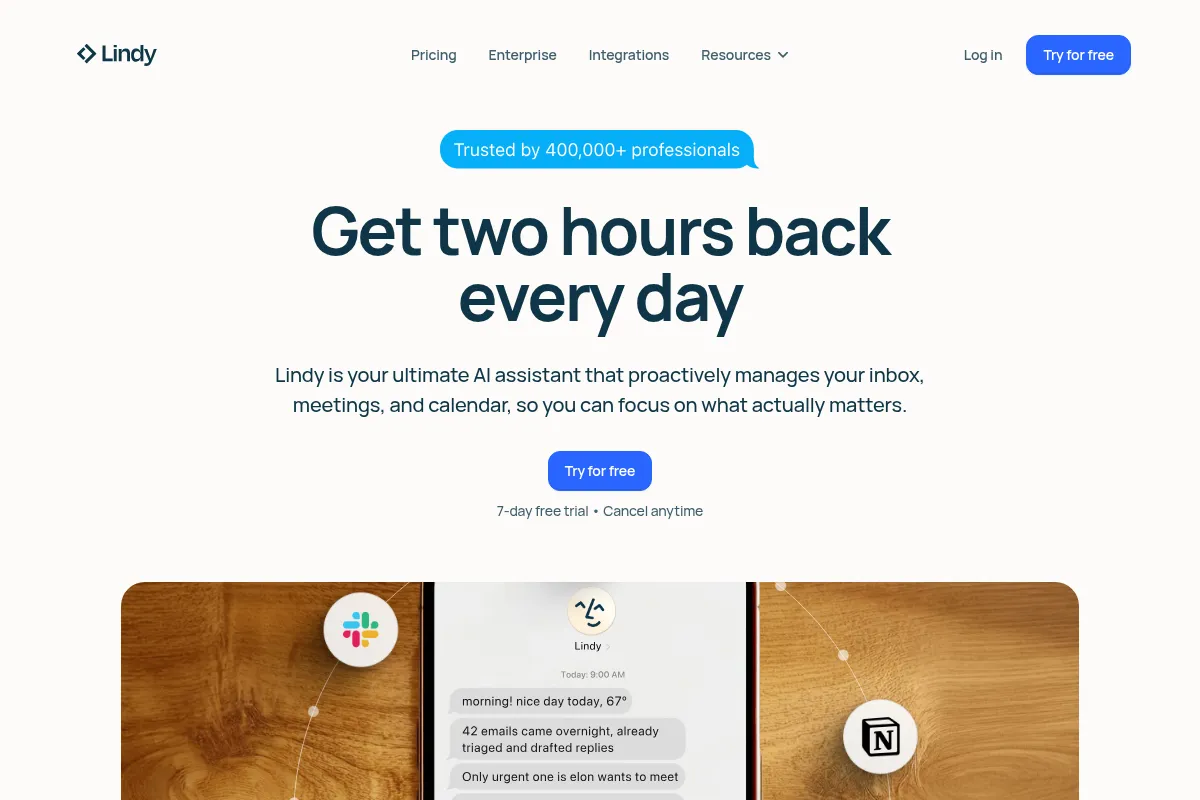
Lindy is a no-code AI agent builder that automates business workflows by allowing users to create 'AI employees' through natural language prompts.
Best for non-technical users automating routine tasks, weaker for complex, custom backend development.
Analysis based on product data, pricing structure, traffic signals, and public user sentiment.
Who Should Use Lindy?
Typical users
Small to medium-sized businesses, entrepreneurs, freelancers, and operations teams looking to automate repetitive administrative, sales, or customer support tasks without coding.
Maturity fit
beginner to scaling
Choose this if…
- You need to automate common business tasks like email management, scheduling, or data entry.
- You prefer a no-code interface and natural language prompts for building automations.
- You want to create AI agents that can make decisions and handle multi-step processes.
- Your priority is ease of use and quick setup over deep technical customization.
Skip this if…
- You require highly complex, custom backend automations or deep developer control.
- Your budget is extremely limited, as pricing can become costly with high credit usage.
- You need extensive, niche integrations beyond the most popular business tools.
- Your workflow relies heavily on intricate conditional logic or advanced debugging features.
About Lindy
Lindy is a no-code platform designed for users without technical expertise to build and deploy AI-powered automations, referred to as 'AI employees.' It aims to streamline business processes by enabling the creation of intelligent agents capable of handling tasks across various departments, from customer support to sales and HR, using natural language instructions.
Official profiles
What it actually does
Lindy allows users to create AI agents by describing desired tasks in natural language. These agents can then automate workflows by integrating with various business tools, making decisions, and performing multi-step processes. The platform offers pre-built templates and a visual builder for users to customize and deploy their AI automations.
What makes it different
Unlike traditional automation tools that rely on rigid if-then logic, Lindy's AI agents are designed to reason, understand context, and make decisions. This AI-first approach allows for more nuanced and adaptive automations, enabling agents to handle complex, multi-step tasks with less configuration than rule-based systems.
Ratings across the web


Ratings aggregated from independent review platforms.
Key Features
Natural Language Prompting
Allows users to describe desired automations in plain English, eliminating the need for coding.
AI Agents
Creates autonomous digital assistants that can make decisions, understand context, and perform complex multi-step tasks.
Template Library
Offers pre-built, customizable agents for common business use cases like sales outreach, meeting summaries, and customer support.
Multi-App Integrations
Connects with thousands of business tools (e.g., Gmail, Slack, HubSpot, Salesforce) to enable cross-platform automation.
AI-Powered Research and Data Extraction
Agents can gather information from online sources or documents, useful for lead enrichment and market analysis.
Automated Email Drafting and Follow-ups
Agents can draft personalized emails, manage replies, and send follow-up sequences.
Meeting Summaries and Action Items
Agents can join meetings, transcribe conversations, and generate concise summaries with actionable tasks.
Computer Use Feature
Enables AI agents to navigate websites and interact with applications as a human user would.
Pricing
Free
- 400 credits/month
- 1M character knowledge base
- Limited premium features
Starter
- 2,000 credits/month
- Access to premium actions
Pro
- 5,000 credits/month
- Full automation capabilities
Business
- 20,000 credits/month
- 100 phone calls/month
- 30+ phone call languages
- 50M character knowledge base
- Priority support
Pricing checked 6 months ago
Pricing guidance
- When you consistently exceed your monthly credit limit.
- When you need to automate more complex, multi-step workflows.
- When you require access to premium actions or advanced features.
- When you need to scale automation across a team or business.
- Credit usage varies significantly by task complexity, making costs unpredictable.
- Some premium features may be restricted even on lower paid tiers.
- Heavy reliance on Google services may require extensive permissions.
- While integrations are numerous, some may rely on third-party connectors, potentially adding complexity or risk.
Lindy positions itself as an affordable AI agent platform for individuals and small teams, with pricing scaling up for businesses requiring more extensive automation and features.
Pros & Cons
Strengths
-
Ease of Use
Lindy's no-code interface and natural language prompts make it highly accessible for users without technical backgrounds, allowing for quick setup of AI agents and automations.
-
AI-Powered Decision Making
Unlike rule-based automation tools, Lindy's agents can reason, understand context, and make decisions, enabling more sophisticated and adaptive workflows.
-
Extensive Template Library
A wide range of pre-built templates for common business tasks accelerates the creation of AI agents, providing practical starting points for various use cases.
-
Broad Integration Capabilities
Lindy connects with thousands of popular business applications, allowing for comprehensive automation across a user's existing tech stack.
-
Time-Saving Automation
By automating repetitive tasks like email management, scheduling, and data entry, Lindy significantly frees up user time for more strategic activities.
Weaknesses
-
Credit-Based Pricing Can Be Unpredictable
The credit system, where different tasks consume varying amounts of credits, can make monthly spending difficult to predict and potentially costly, especially for high-volume usage or complex automations.
Affects: Users with high automation volume or complex workflows.
-
Steep Learning Curve for Complex Automations
While simple automations are easy to set up, mastering complex, multi-step workflows or achieving precise control can be challenging for some users.
Affects: Users requiring intricate or highly customized automation logic.
-
Reliance on Google Services
Lindy often requires significant permissions for Google products (Gmail, Google Drive, Calendar), which may be a concern for users prioritizing data privacy or those not heavily invested in the Google ecosystem.
Affects: Users with strong data privacy concerns or those not using Google Workspace extensively.
-
Voice Functions May Lack Depth
While Lindy offers voice capabilities, they are sometimes described as add-ons rather than core features, potentially leading to latency or less specialized performance compared to voice-native solutions for high-volume calling.
Affects: Users with high-volume voice communication needs.
Real User Sentiment
User sentiment for Lindy is largely positive, with many praising its ease of use and AI capabilities for automating everyday tasks. However, some users find the pricing model and credit system to be a drawback.
Users tend to like
- Ease of use and intuitive interface
- Natural language prompting for agent creation
- Effective automation of routine business tasks
- Wide range of templates for quick setup
- AI agents that can make decisions and handle complex tasks
Users commonly complain about
- Credit-based pricing can be unpredictable and expensive
- Steep learning curve for advanced or complex automations
- Heavy reliance on Google services and permissions
- Occasional AI inaccuracies leading to rework
- Limited control for deep technical customization
Recurring tradeoffs
- Ease of use vs. depth of customization
- Credit-based pricing vs. predictable costs
- Generalist automation vs. specialized AI agent capabilities
Happiest users
Non-technical users, freelancers, and small to medium-sized businesses looking to automate common office tasks and workflows.
Often frustrated
Users requiring highly complex, custom backend automations, those sensitive to unpredictable pricing, or those not heavily invested in the Google ecosystem.
Use Cases
Automating email triage and drafting replies
Scheduling meetings and managing calendars
Generating summaries and action items from meetings
Conducting online research for lead enrichment
Updating CRM records automatically
Handling customer support inquiries with AI agents
Creating personalized sales outreach sequences
Frequently Asked Questions
What is Lindy AI?
Lindy AI is a no-code platform that allows users to build and deploy AI-powered automations, called 'AI employees' or 'Lindies.' It uses natural language prompts to create agents that can automate complex, multi-step business workflows without requiring any coding knowledge. Lindy integrates with thousands of business tools to streamline tasks in areas like sales, customer support, and operations.
How does Lindy AI compare to Zapier?
While both Lindy AI and Zapier offer automation capabilities, Lindy AI is AI-first, focusing on agents that can reason, make decisions, and handle complex tasks with natural language. Zapier is more of an app connector, excelling at simpler 'if-this, then-that' automations and boasting a larger native integration library. Lindy is better for tasks requiring AI judgment, while Zapier is ideal for straightforward app integrations.
What are the limitations of Lindy AI?
Key limitations include the unpredictable nature of its credit-based pricing, which can become expensive with high usage or complex tasks. Advanced automations may present a steep learning curve. Lindy also has a strong reliance on Google services, requiring extensive permissions. For highly technical or custom backend development, other tools might offer more control.
Does Lindy AI support integrations with other tools?
Yes, Lindy AI supports integrations with thousands of popular business tools and services, including Gmail, Slack, HubSpot, Salesforce, Google Workspace, and more. These integrations allow Lindy agents to interact with your existing tech stack and automate workflows across different applications. Some integrations may rely on third-party connectors.
Is there a free version of Lindy AI?
Yes, Lindy AI offers a free plan that provides 400 credits per month, a 1M character knowledge base, and access to some basic features. This free tier is suitable for testing the platform and automating very simple, low-volume tasks. However, to unlock the full capabilities and handle more complex or frequent automations, a paid plan is necessary.
How much does Lindy AI cost?
Lindy AI offers a free plan with 400 credits per month. Paid plans start at $19.99/month for the Starter plan (2,000 credits), $49.99/month for the Pro plan (5,000 credits), and custom pricing for the Business plan with higher credit limits and features like phone calls. Pricing is credit-based, meaning costs can vary depending on the complexity and volume of tasks automated.
Can Lindy AI automate complex workflows?
Lindy AI can automate complex, multi-step workflows by creating AI agents that can reason and make decisions. While it offers more advanced capabilities than traditional rule-based automation tools, achieving highly intricate or custom backend logic might still present a learning curve or limitations compared to developer-focused platforms. The platform is best suited for automating complex business processes that benefit from AI judgment.
What kind of support does Lindy AI offer?
Lindy AI offers various support levels depending on the plan. The Business and Enterprise plans typically include priority support and a dedicated success manager. For lower tiers, support may be more standard, with users often relying on community forums or documentation for assistance.
Why trust this page?
This evaluation combines product positioning, pricing analysis, traffic and market signals, and public user sentiment into a single decision-support page. Content is generated editorially — not copied from the vendor's website.
Funding & Company
Founded
2020
Stage
Series b
Total Raised
$49.9M
Latest Round
Series B (Jan 2023)
Notable Investors
Lindy is supported by approximately $49.9M in total funding, secured primarily under its previous company name, Teamflow. This significant capital, from notable investors like Battery Ventures, was raised before the company pivoted to its current AI agent focus in 2023.
Market Signals & Traffic
Estimated visits, global rank, geography, traffic sources, monthly visit trends, and organic search keywords (Similarweb)—on a dedicated page built for depth and search.
- Estimated visits
- 654,502
- Global rank
- #74,741
- Snapshot
- Apr 2026
- Traffic trend
- Rising
Estimated monthly visits
Alternatives to Lindy
View all alternativesZapier AI
Productivity, Automation

Automate tasks and workflows between your favorite apps without code.
Make AI
Automation & Agents, Developer Tools

Visual platform to connect apps and automate workflows without code.
Relevance AI
Automation & Agents, Developer Tools, Productivity

Build and deploy autonomous agents to automate complex business workflows.
Similar Tools
MultiOn
AI Assistant, Automation, Productivity

AI agents that autonomously perform tasks and workflows on the web.
Reclaim AI
AI Assistant, Automation, Productivity

AI-powered calendar assistant that automatically schedules tasks, habits, and focus time.
Genspark
AI Assistant, Automation, Productivity

All-in-one AI workspace for research, content creation, and task automation.
Rabbit
AI Assistant, Automation, Productivity

Pocket-sized hardware device that executes tasks across various mobile applications.
MarqVision
E-commerce, Privacy & Compliance, Automation

Automated brand protection and intellectual property enforcement platform.
Klaviyo
Email Marketing, Marketing Automation, Automation

Marketing automation platform for e-commerce email and SMS campaigns