

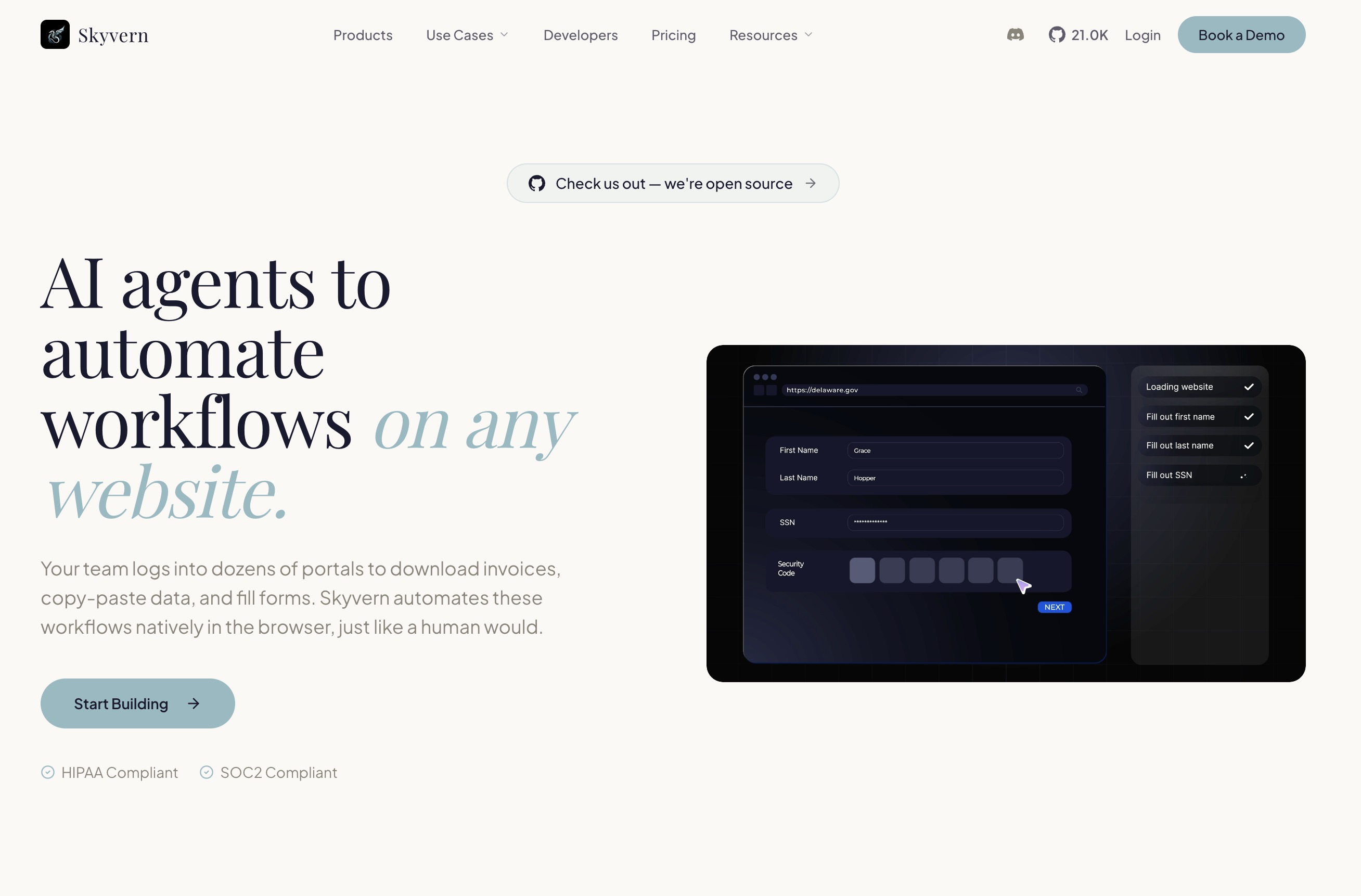
Skyvern automates browser-based tasks using AI and computer vision, offering a resilient alternative to traditional scripting for complex, multi-site workflows.
Best for automating complex, multi-website browser tasks, weaker for simple, single-site scraping.
Analysis based on product data, pricing structure, traffic signals, and public user sentiment.
Who Should Use Skyvern?
Typical users
Teams and individuals who regularly perform repetitive tasks across multiple websites, such as procurement, data extraction from non-API sites, or form submissions. This includes roles in operations, finance, HR, and developers looking to replace brittle automation scripts.
Maturity fit
scaling
Choose this if…
- You need to automate workflows that span multiple websites.
- Your existing automation scripts frequently break due to website changes.
- You need to handle complex authentication like 2FA and CAPTCHAs.
- You want to automate tasks on websites without APIs.
Skip this if…
- You only need to scrape data from a single, static website.
- Your primary need is simple data extraction without complex interactions.
- You have a strong preference for traditional, code-based automation frameworks.
- You require deep, real-time integrations with specific enterprise software that Skyvern doesn't directly support.
About Skyvern
Skyvern is an open-source AI platform designed to automate browser-based workflows. It leverages Large Language Models (LLMs) and computer vision to interpret and interact with web pages, making it resilient to website changes. Skyvern aims to replace brittle, code-dependent automation solutions with a more adaptive and intelligent approach for complex, multi-site tasks.
Official profiles
What it actually does
Skyvern automates manual browser tasks by understanding web page content visually and contextually, similar to how a human would. It can log into websites, fill out forms, extract data, handle authentication (2FA, CAPTCHAs), and execute multi-step processes across various sites without requiring custom code for each one.
What makes it different
Unlike traditional automation tools that rely on fragile code-based selectors (XPath, CSS), Skyvern uses LLMs and computer vision to interpret web pages visually. This allows it to adapt to website layout changes automatically and operate on unfamiliar sites without custom scripting, making workflows more resilient and easier to maintain.
Ratings across the web

Ratings aggregated from independent review platforms.
Key Features
Visual AI Navigation
Uses computer vision to identify and interact with page elements, making automations resilient to website layout changes.
LLM-Powered Reasoning
Interprets natural language instructions and understands the context of web pages to execute tasks.
2FA and CAPTCHA Handling
Natively supports multi-factor authentication and CAPTCHA solving, enabling automation of secure login processes.
Multi-Website Workflows
Allows a single workflow to be applied across multiple websites, adapting to different structures.
API-First Design
Enables programmatic control and integration with other systems for scalable automation.
Explainable AI
Provides clear explanations and justifications for AI decisions, enhancing transparency.
Data Extraction
Pulls structured data from any site into formats like JSON or CSV.
No-Code/Low-Code Options
Offers ways to build workflows through natural language prompts or a visual builder.
Pricing
Free
- 1,000 credits/month
- 1 concurrent run
- Datacenter proxies
- Country-level geo-targeting
- Community support
Hobby
- ~30,000 credits/month
- 10 concurrent runs
- Basic CAPTCHA solver
- Stored credentials
- Datacenter proxies
- Country-level geo-targeting
- Webhooks
- Email support
Pro
- ~150,000 credits/month
- 25 concurrent runs
- Advanced CAPTCHA solver
- Residential proxies
- City-level geo-targeting
- 2FA/TOTP support
- 1Password integration
- Team workspaces
- Priority support
Enterprise
- Unlimited credits
- Unlimited concurrent runs
- HIPAA compliant
- SOC-2 Report
- Dedicated Slack channel
- Azure Key Vault / Bitwarden integration
- Human-in-the-loop workflows
Pricing checked 6 months ago
Pricing guidance
- When you exceed 1,000 credits per month.
- When you need to run more than 1 workflow concurrently.
- When you require advanced features like 2FA/TOTP support or residential proxies.
- When you need team collaboration features.
- Credit usage can be high for complex or lengthy workflows.
- While enterprise offers unlimited runs, the Pro plan has a concurrency limit of 25.
- Geo-targeting is limited to country-level on lower tiers.
Tiered pricing based on usage credits and features, with a free entry point and custom enterprise options.
Pros & Cons
Strengths
-
Resilience to Website Changes
Skyvern's AI adapts to UI updates, meaning automation scripts don't break when websites are redesigned, reducing maintenance overhead.
-
Handles Complex Authentication
Built-in support for 2FA and CAPTCHAs allows for automation of secure login processes, which are common blockers for traditional tools.
-
Cross-Website Automation
A single defined workflow can be applied to multiple websites, significantly reducing the effort needed for broad automation tasks.
-
No-Code/Low-Code Approach
Users can describe tasks in natural language, making it accessible to non-developers and speeding up workflow creation.
-
Open-Source Core
The open-source nature of the core tool allows for community contributions and potential for self-hosting or deeper customization.
Weaknesses
-
Potential for AI Hallucinations
While LLMs are powerful, they can sometimes misinterpret instructions or web page elements, leading to unexpected failures or incorrect actions. This is more likely in highly complex or ambiguous scenarios.
Affects: Users performing highly critical or nuanced tasks.
-
Learning Curve for Complex Workflows
While simple tasks can be automated with natural language, building and debugging complex, multi-step workflows may still require a technical understanding of the platform's capabilities and limitations.
Affects: Users with advanced automation needs.
-
Cost at Scale
While there's a free tier, extensive usage can become costly, especially if workflows are not optimized or if many concurrent runs are needed. Pricing is credit-based.
Affects: High-volume users and businesses.
-
Limited Direct Integrations
While Skyvern integrates with platforms like Zapier and Make, direct, deep integrations with specific enterprise software (e.g., CRMs, ERPs) are not its primary focus; it automates browser interactions.
Affects: Users needing seamless, deep integration with specific business applications.
Real User Sentiment
Users generally praise Skyvern's innovative approach to browser automation, its resilience to website changes, and its ability to handle complex tasks like 2FA. However, some users note the potential for AI-related issues and the cost at scale.
Users tend to like
- Resilience to website changes
- Ability to handle 2FA and CAPTCHAs
- Natural language prompt-based automation
- Cross-website workflow capabilities
- Open-source nature
Users commonly complain about
- Occasional AI misinterpretations or 'hallucinations'
- Cost can become significant for high-volume usage
- Debugging complex workflows can be challenging
- Documentation could be more extensive for advanced use cases
Recurring tradeoffs
- AI adaptability vs. potential for errors
- Ease of use for simple tasks vs. complexity for advanced workflows
- Cost-effectiveness at scale vs. initial free/low-cost entry
Happiest users
Developers and operations teams looking to replace brittle, code-heavy automation scripts with a more resilient, AI-driven solution for complex, multi-site tasks.
Often frustrated
Users who expect perfect AI performance without any manual intervention or who have very simple, single-site scraping needs where traditional tools might suffice and be cheaper.
Use Cases
Automating job applications across multiple job boards.
Generating insurance quotes from various carrier websites.
Processing invoices by downloading them from numerous vendor portals.
Submitting government forms and regulatory filings.
Automating procurement workflows and purchase orders on supplier sites.
Extracting competitive pricing and product data from e-commerce sites.
Testing web applications that frequently undergo UI changes.
Frequently Asked Questions
What is Skyvern and how does it work?
Skyvern is an AI-powered platform that automates browser-based workflows. It uses Large Language Models (LLMs) and computer vision to understand and interact with websites, similar to how a human would. Unlike traditional automation tools that rely on brittle code selectors (like XPath), Skyvern interprets web pages visually and contextually. This makes it resilient to website layout changes and capable of handling complex tasks like logins, form filling, and data extraction across multiple sites without custom code for each one. It offers both a no-code interface (natural language prompts) and an API for developers.
How does Skyvern handle website changes?
Skyvern's core differentiator is its resilience to website changes. Instead of relying on fixed code selectors (e.g., CSS IDs, XPath), it uses computer vision to 'see' and understand web page elements visually. Combined with LLM reasoning, it can identify buttons, forms, and data fields based on their appearance and context, allowing workflows to adapt automatically when a website's layout is updated. This significantly reduces the maintenance overhead common with traditional automation scripts.
What are the pricing options for Skyvern?
Skyvern offers a tiered pricing model. There is a Free plan with 1,000 credits per month, suitable for testing. Paid plans include Hobby ($29/month) with ~30,000 credits, Pro ($149/month) with ~150,000 credits and advanced features, and Enterprise (custom pricing) for unlimited usage and compliance needs. Pricing is primarily based on usage credits and concurrency limits.
How does Skyvern compare to tools like Selenium or Playwright?
Skyvern is designed to overcome the limitations of traditional tools like Selenium and Playwright. While Selenium/Playwright require extensive coding and are prone to breaking when websites change, Skyvern uses AI (LLMs and computer vision) to interpret web pages visually. This makes Skyvern workflows more resilient to UI updates and easier to build using natural language prompts. Skyvern also natively handles complex authentication like 2FA and CAPTCHAs, which can be challenging to implement reliably with Selenium/Playwright.
What are the limitations of Skyvern?
While powerful, Skyvern's AI can sometimes misinterpret complex or ambiguous web page elements, leading to errors (AI hallucinations). Building and debugging highly intricate workflows may still require technical expertise. For very simple, single-page scraping tasks, traditional tools might be more cost-effective. The cost can also become a factor for very high-volume usage, as it's credit-based.
Does Skyvern integrate with other tools?
Yes, Skyvern integrates with popular automation platforms like Zapier, Make (formerly Integromat), and n8n, allowing users to trigger Skyvern workflows from these platforms or use Skyvern actions within their broader automation sequences. It also supports integrations with credential managers like 1Password and Bitwarden for secure access.
Can Skyvern automate tasks on websites that require logins and 2FA?
Absolutely. Skyvern has built-in support for handling two-factor authentication (2FA) via TOTP codes, SMS verification, and email confirmations, as well as CAPTCHA solving. This is a significant advantage over many traditional automation tools that struggle with these security measures, allowing Skyvern to automate workflows that require secure access to user accounts.
Why trust this page?
This evaluation combines product positioning, pricing analysis, traffic and market signals, and public user sentiment into a single decision-support page. Content is generated editorially — not copied from the vendor's website.
Funding & Company
Founded
2023
Stage
Seed
Total Raised
$3.2M
Latest Round
Pre-Seed (Jul 2023)
Notable Investors
Skyvern has raised a total of $3.2 million over two rounds, including participation from Y Combinator. This funding provides the company with a solid foundation to develop its AI-powered browser automation platform and establish its position in the market.
Market Signals & Traffic
Estimated visits, global rank, geography, traffic sources, monthly visit trends, and organic search keywords (Similarweb)—on a dedicated page built for depth and search.
- Estimated visits
- 87,169
- Global rank
- #337,673
- Snapshot
- Apr 2026
- Traffic trend
- Rising
Estimated monthly visits
Alternatives to Skyvern
View all alternativesZapier AI
Productivity, Automation

Automate tasks and workflows between your favorite apps without code.
Bardeen AI
AI Assistant, Developer Tools

AI-powered no-code automation tool for browser workflows.
Firecrawl
Data Extraction, Developer Tools

An API to crawl and scrape any website, turning web data into a structured, LLM-ready format.
Similar Tools
Induced AI
Automation, Automation & Agents, Productivity

AI-powered browser automation for complex, repetitive web workflows.
JuicyChat.AI
Communication, Content Creation, AI Assistant

Create and chat with customizable virtual characters for roleplay.
Agenta
Developer Tools, Automation & Agents

Open-source platform for building, evaluating, and deploying LLM applications.
Noma
Privacy & Compliance, Developer Tools

Secures the entire AI lifecycle from development to production.
NXCode
Developer Tools, AI Assistant

Coding assistant for generating, debugging, and optimizing software code.
Wix AI
Design, Content Creation, Productivity

All-in-one website builder with drag-and-drop functionality and AI tools.