
10 Best AI Tools for Business to Use in 2026

Matic Pogladič
11 April 2026
The fastest way to waste an AI budget is to buy tools one by one because each demo looks impressive.
What pays off is a smaller stack that fits the software you already run, the approval rules your team already follows, and the jobs people need done every week. The best ai tools for business in 2026 are the ones that remove steps from existing workflows. Another disconnected dashboard adds work, not output.
Much buying advice starts in the wrong place. It gives you a long list of popular products and leaves integration, permissions, security review, and adoption for later. Operators should reverse that order. Start with the workflow, then the handoffs, then the tool.
The central problem is drift.
I see it in growing teams. Marketing adopts a writing assistant. Sales adds a meeting bot. Ops sets up a separate automation tool. Customer success turns on an AI feature inside the CRM. None of those decisions look reckless on their own. Together, they create overlapping subscriptions, conflicting sources of truth, and a stack nobody owns.
That kind of stack rarely saves time. It creates review overhead, training gaps, and quiet process debt.
This guide takes a useful angle. Instead of treating AI as a shopping list, it treats it as a system. Some tools in this list are broad platforms. Some do one job well. Oryndex matters here because a curated AI tools directory for business use cases helps teams screen options by function and fit before they start new trials.
That matters if your company is buying across departments. The right choice for content, support, sales, and internal search is rarely the same vendor. The job is to build a stack that works together, with clear ownership and measurable ROI.
If lead gen is the immediate priority, pair this guide with these top AI tools for lead generation.
If your main job is content production, this roundup of Top 12 AI Driven Content Creation Tools is also worth reading alongside this one.
1. Oryndex
Most businesses don't need another tool. They need a way to stop evaluating the wrong ones.
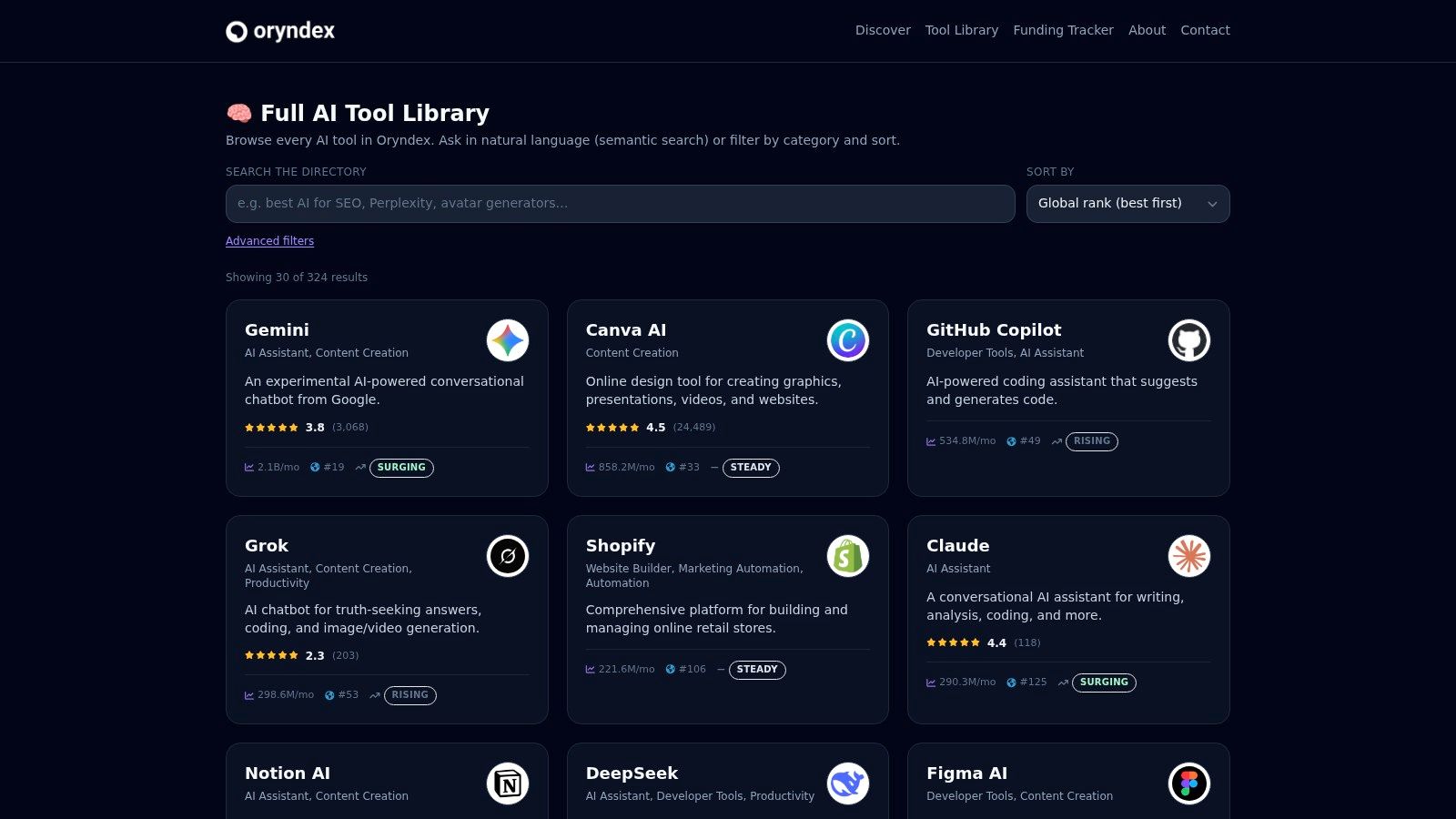
That's why Oryndex belongs at the top of this list. It isn't a model, editor, or automation layer. It's a curated discovery engine for founders, builders, and operators who need to find AI products by use case, without getting buried in hype. You can browse categories, scan concise tags, compare practical fit, and search in plain English instead of memorizing brand names.
If you've ever typed "best AI coding assistants" or "meeting notetakers" into a search bar and landed on recycled affiliate lists, you'll get the appeal. Start with the Oryndex tools directory.
Why it works in real buying cycles
Many "best ai tools for business" lists assume the hard part is awareness. It isn't. The hard part is narrowing options to a short list your team can test inside current workflows.
Oryndex helps with that in three useful ways:
- Curated signal over noise: Listings are selected for business relevance, not just trend momentum.
- Fast fit checks: Categories, tags, and concise use cases make it easier to rule tools in or out.
- Market context: The editor's shortlist and leaderboard give operators another lens when deciding what deserves a deeper look.
That last part matters, with one caveat. Popularity can help you spot momentum, ecosystem maturity, or staying power. It can't tell you whether a tool fits your stack. Oryndex makes that distinction clearer than most directories.
Practical rule: Use directories to shrink the decision set, not to make the final decision for you.
Where Oryndex saves the most time
This is useful for small teams that don't have a procurement function. A solo founder, head of ops, or early product lead becomes the accidental AI buyer. They need speed, but they also need enough context to avoid buying three overlapping tools.
The directory is strongest when you're solving one of these common business problems:
- Replacing manual research: Finding shortlists in categories like assistants, dev tools, documentation, or privacy.
- Avoiding duplicate subscriptions: Spotting overlap before your team buys separate tools for the same job.
- Building a first AI stack: Moving from idea to trial without spending days on low-signal comparisons.
A useful adjacent read is this guide to top AI tools for lead generation, especially if your stack decisions are tied to pipeline.
Trade-offs to know
Oryndex is deliberately concise. That's good for speed, but it also means you'll still need to click through and validate product details, permissions, and pricing on the vendor side. The leaderboard also uses estimated traffic snapshots, which are a directional signal, not proof of quality.
I'd rather start with a curated operator-focused directory than with a crowded marketplace where every product claims to be the category leader. Counter-intuitively, the most valuable AI tool in a buying process is the one that helps you buy fewer AI tools.
2. OpenAI ChatGPT for Business and Enterprise
When a team needs one general-purpose assistant that can write, analyze files, summarize, reason through messy problems, and plug into common SaaS tools, ChatGPT is the benchmark product to evaluate. Not because it's perfect. Because it covers more business tasks than most alternatives with less onboarding friction.
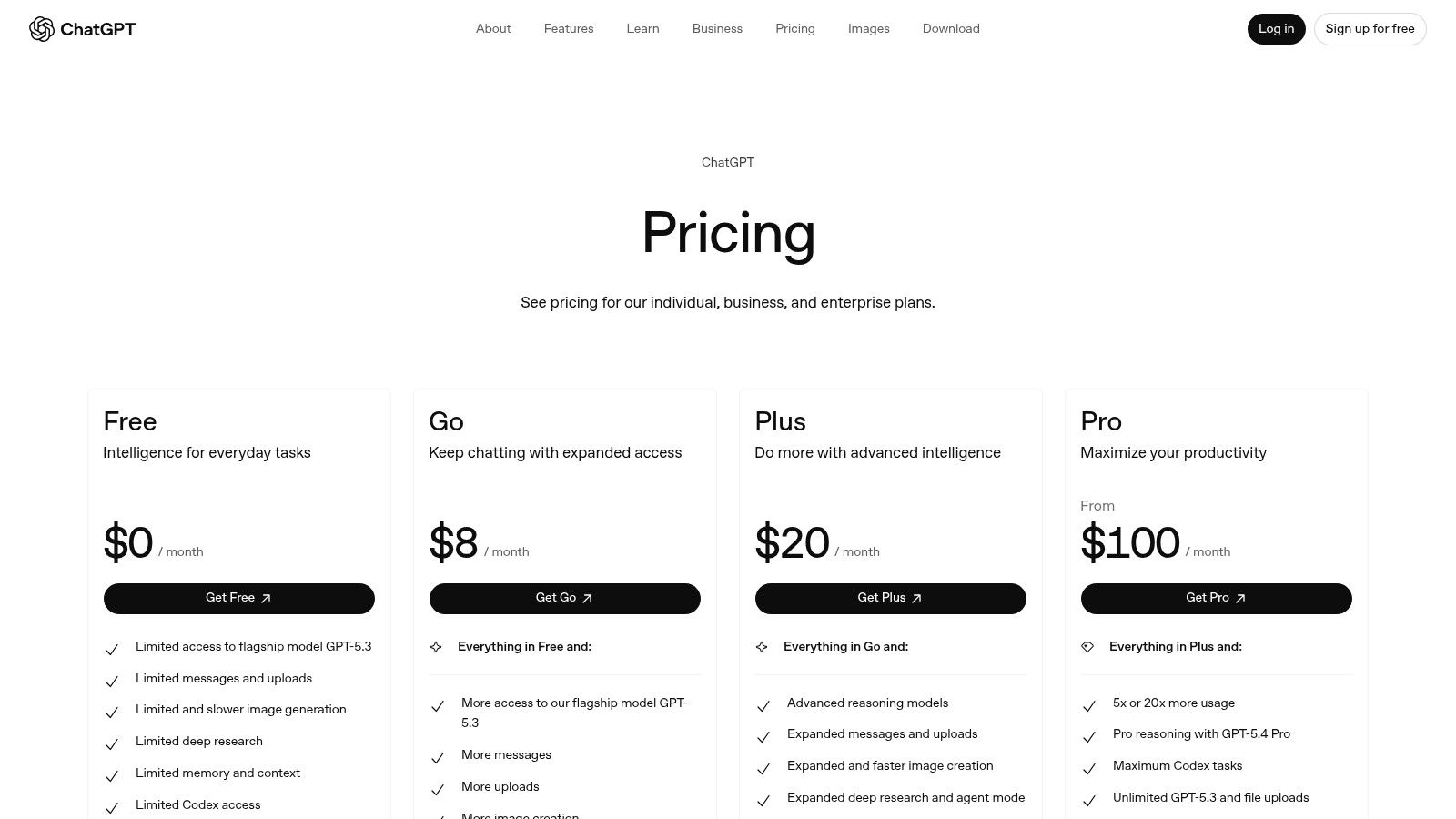
OpenAI's business workspace adds the admin layer companies need. Shared workspaces, custom GPTs or apps, controls like SSO and MFA, and stronger governance on higher tiers all make it more usable in a company setting than a loose collection of individual subscriptions. You can see the current product tiers on the ChatGPT pricing page.
Best fit
ChatGPT works best for cross-functional teams where one tool needs to serve multiple jobs well enough:
- marketing drafts and campaign ideation
- support macros and knowledge responses
- ops analysis from spreadsheets or uploaded files
- internal reporting and document synthesis
McKinsey notes that 29.3% of organizations fine-tune existing AI models on proprietary data, which tells you something important about business adoption. General models are useful out of the box, but the main value often comes when teams adapt them to their own context. ChatGPT's business setup fits that progression.
One practical route is to browse related assistants before you commit. Oryndex's AI Assistant category is useful for that.
What works and what doesn't
What works:
- broad task coverage
- fast iteration
- familiarity across teams
- connectors and file analysis that reduce app switching
What doesn't:
- public pricing visibility for higher-end business needs is limited
- governance features improve as you move upmarket
- teams overuse it as a catch-all instead of designing proper workflows
Buy ChatGPT when your problem is broad assistance. Don't buy it expecting it to replace every specialist tool in your stack.
I've seen teams make that mistake. They try to force one assistant to handle CRM workflows, structured approvals, brand governance, and analytics orchestration. It can help with all of those. It shouldn't own all of them.
3. Microsoft 365 Copilot
Microsoft 365 Copilot is the practical choice, not the flashy one.
If your company already runs on Outlook, Teams, Word, Excel, and PowerPoint, Copilot has a distribution advantage that standalone assistants cannot match. Employees do not need to adopt a new workspace or remember to open a separate tool. The AI shows up inside the systems they already touch all day. Current licensing details are on the Microsoft 365 Copilot pricing page.
That matters because AI ROI breaks down at the adoption layer, not the demo layer.
Where it earns its keep
Copilot fits companies that want AI embedded in existing workflows and already have Microsoft 365 as their operational core. In practice, that means:
inbox triage and email drafting in Outlook, meeting summaries and action items in Teams, first drafts and rewrites in Word, formula help and worksheet interpretation in Excel, and presentation building in PowerPoint.
A key benefit is workflow proximity. A finance lead can ask questions inside Excel. A manager can pull follow-up notes from a Teams meeting without copying a transcript. A sales rep can clean up a customer email in Outlook instead of switching tabs and pasting text.
For companies building an AI stack, this is an important distinction. Copilot is not the tool I pick for every business function. It is the tool I pick when Microsoft is already the system of work and the goal is broad adoption with acceptable governance. If you're comparing options across functions, a directory like Oryndex can help narrow where a built-in assistant is enough and where a specialist tool will produce better returns.
The main trade-off
Copilot weakens as your environment gets less Microsoft-centric.
If your company collaborates mainly in Google Workspace, stores knowledge across disconnected apps, or runs critical workflows in systems outside Microsoft, the value drops fast. Copilot can help, but it stops feeling like infrastructure and starts feeling like an add-on.
A few issues deserve attention before rollout:
- License complexity: access can depend on tenant setup, plan type, and add-on choices
- Custom agents and extensions: advanced use cases can pull you into Azure configuration and added cost controls
- Information architecture: weak permissions, bad file naming, and stale documents lead to weak outputs
That issue gets ignored. Copilot does not fix messy operating systems. It surfaces them.
Used well, Microsoft 365 Copilot works as a productivity layer inside an existing stack. Used badly, it becomes an expensive reminder that AI quality depends on process quality, document hygiene, and system design.
4. Notion AI
Notion AI earns its place on this list for a simple reason. It can turn scattered documents into an operating system, not just a writing assistant.
That distinction matters if you're building an AI stack instead of collecting point tools. When notes, SOPs, project specs, and team knowledge live in one workspace, the AI has usable context. When they don't, results weaken quickly. You can review current plan changes and AI inclusion details on Notion's pricing changes page.
Best for teams cleaning up knowledge operations
Notion AI works for companies with many half-kept systems. Process docs in Google Docs, meeting notes in personal folders, project details in another app, and decisions buried in chat is common. In that setup, Notion AI helps only after the team commits to centralizing the work.
The strongest use cases are practical:
- SOP creation and updates
- summarizing long internal pages
- answering questions across workspace content
- structuring repeatable content in databases
- turning rough notes into usable internal docs
The upside is not faster writing alone. It is lower retrieval cost. Teams spend less time asking where something lives and more time using it. That makes Notion AI a good fit for operations, product, PMO, and content teams that already rely on documentation to run the business.
The main trade-off
Notion AI is most effective inside Notion. That sounds obvious, but it drives the buying decision.
If your company is willing to make Notion a primary knowledge layer, the product can replace workflow clutter. If work stays fragmented across five other systems, Notion AI becomes another assistant with partial context. In practice, the tool rewards disciplined workspace design, clear page ownership, sane permissions, and consistent templates.
Good workspace design beats clever prompting.
I recommend Notion AI when a company needs better internal memory more than raw model performance. It is less compelling for teams looking for heavy analysis, advanced reasoning, or broad coverage across tools outside the workspace. That is where a stack approach matters. Use Notion AI for knowledge capture and retrieval, then use a broader assistant or automation layer elsewhere. If you're sorting through those fit questions across functions, a directory like Oryndex helps narrow which tool should own documentation, search, writing, and workflow orchestration.
5. Slack AI and Slackbot
Slack AI is one of those products that sounds minor until you look at where teams lose time. It's not deep work, but catching up. Reading threads, finding decisions, reconstructing context, and figuring out what happened while you were in meetings.
Slack AI attacks that tax.
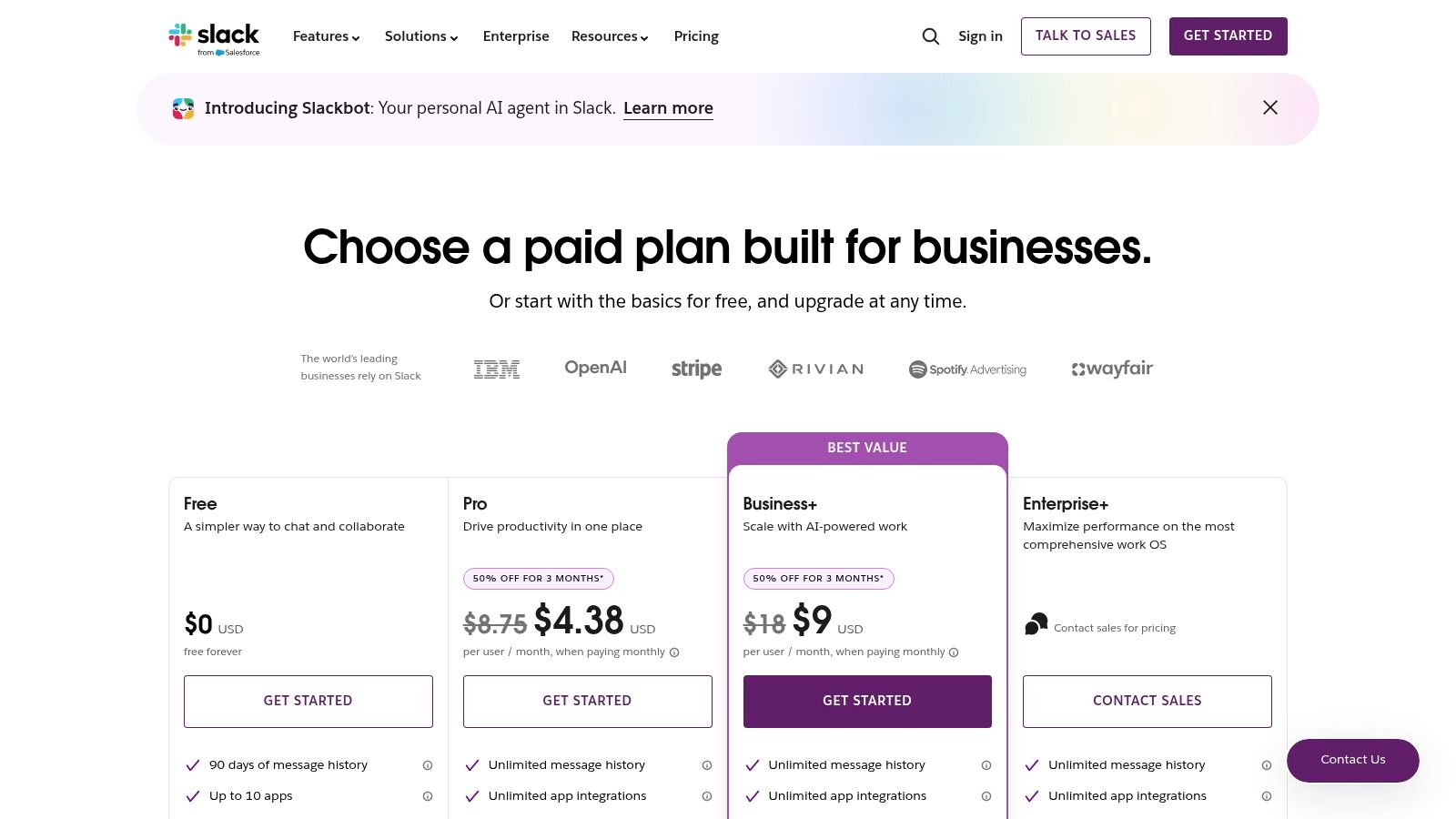
The current plans and packaging are on Slack's pricing page.
Why busy teams like it
For information-dense teams, thread summaries and search answers can be more valuable than another writing app. They reduce the cost of interruption.
This works for:
- go-to-market teams coordinating fast-moving deals
- product teams buried in project channels
- support and operations teams managing issue threads
- executives trying to recover context without reading everything
The deeper Salesforce connection also makes it more interesting for revenue teams, if account context already lives in that ecosystem.
Where the value drops
If Slack is a chat layer for your company, the ROI can feel limited. Slack AI becomes much more useful when Slack is your operating hub, not just your message app.
A few practical cautions:
- Plan variance: AI features can differ by plan and tenant.
- Dependency on channel quality: Bad channel hygiene produces low-value summaries.
- Non-Salesforce shops: Some of the attractive workflow depth lands better in Salesforce-heavy environments.
This is one of those tools where habits matter as much as software. Teams that write clear updates, use channels intentionally, and keep decisions in-thread get better AI outputs. Teams that treat Slack as a stream of half-finished thoughts won't.
6. Zapier plus AI
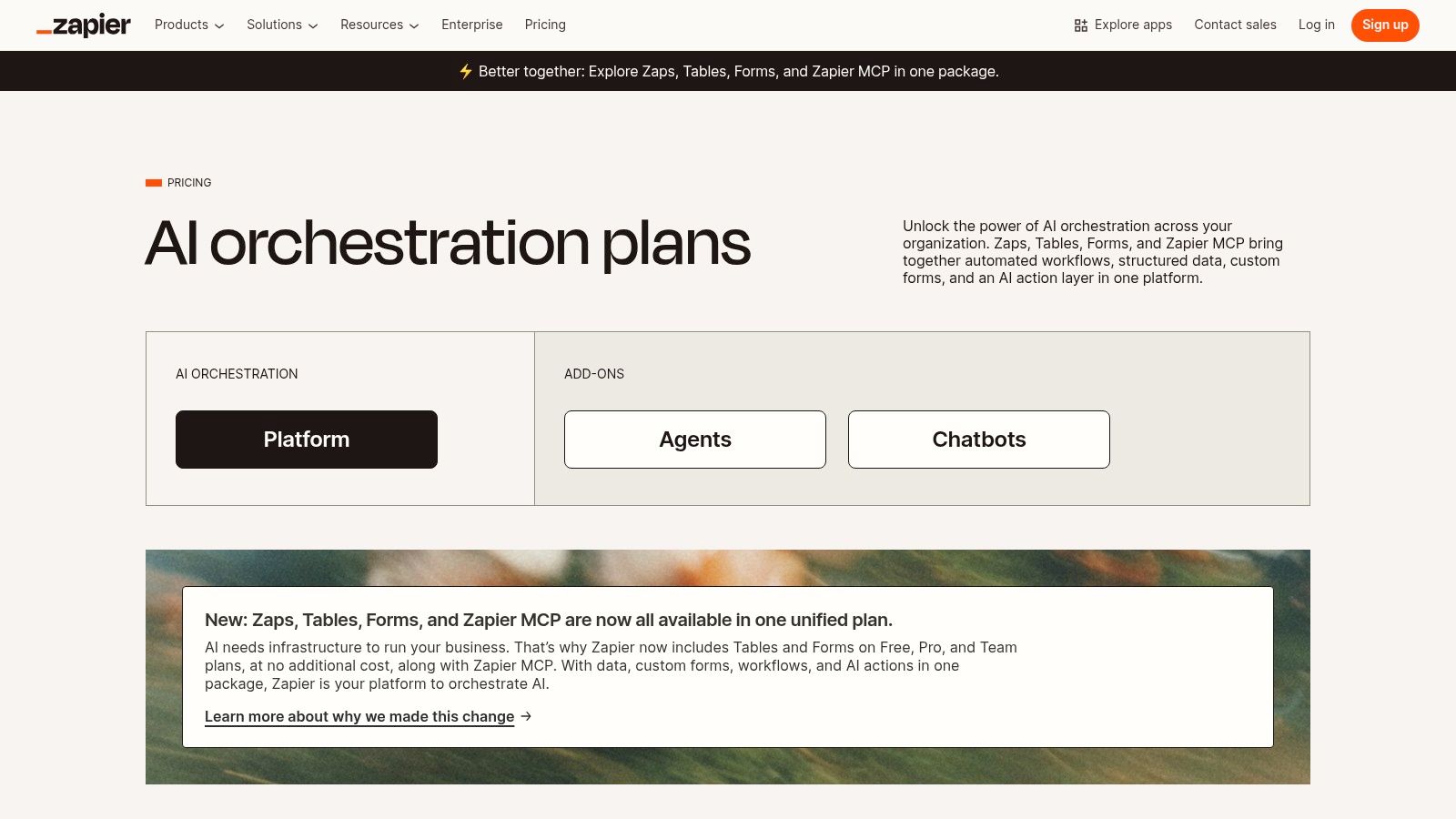
If you run an SMB, Zapier is where AI starts paying rent instead of looking clever in demos. That's because it sits between the tools you already have and lets you automate work without waiting on engineering.
For practical automations, few products are easier to prototype with. Zapier combines classic workflow automation with AI steps, chatbots, agents, and a broad app ecosystem. You can review plans on the Zapier pricing page.
Where Zapier earns ROI fast
I like Zapier when a business has obvious workflow gaps between systems. A lead form triggers a CRM entry, then someone copies details into a sheet, drafts an email, updates a task board, and notifies Slack. That's boring work, and it's the kind of work automation fixes.
Common wins include:
- lead routing and follow-up
- support triage
- CRM enrichment
- document and approval flows
- lightweight reporting pipelines
Zapier is a good bridge from "we have ideas" to "we have one working automation." If your team needs examples, Oryndex has a useful roundup of AI tools for business automation.
A common challenge teams miss
Zapier can get expensive or messy when people build many one-off automations without naming conventions, ownership, or usage monitoring.
The failure mode isn't technical. It's operational.
Watch for these issues:
- Task creep: Usage rises when automations trigger more often than expected.
- Workflow sprawl: Different team members build overlapping zaps for the same process.
- Complex branching: At some point, a developer-first setup may be cheaper or more maintainable.
The best automation isn't the flashiest one. It's the one your team already repeats every day and hates doing.
That's where Zapier wins. Not in agent theater. In cleaning up repetitive handoffs that people stopped noticing because they've done them so long.
7. Jasper
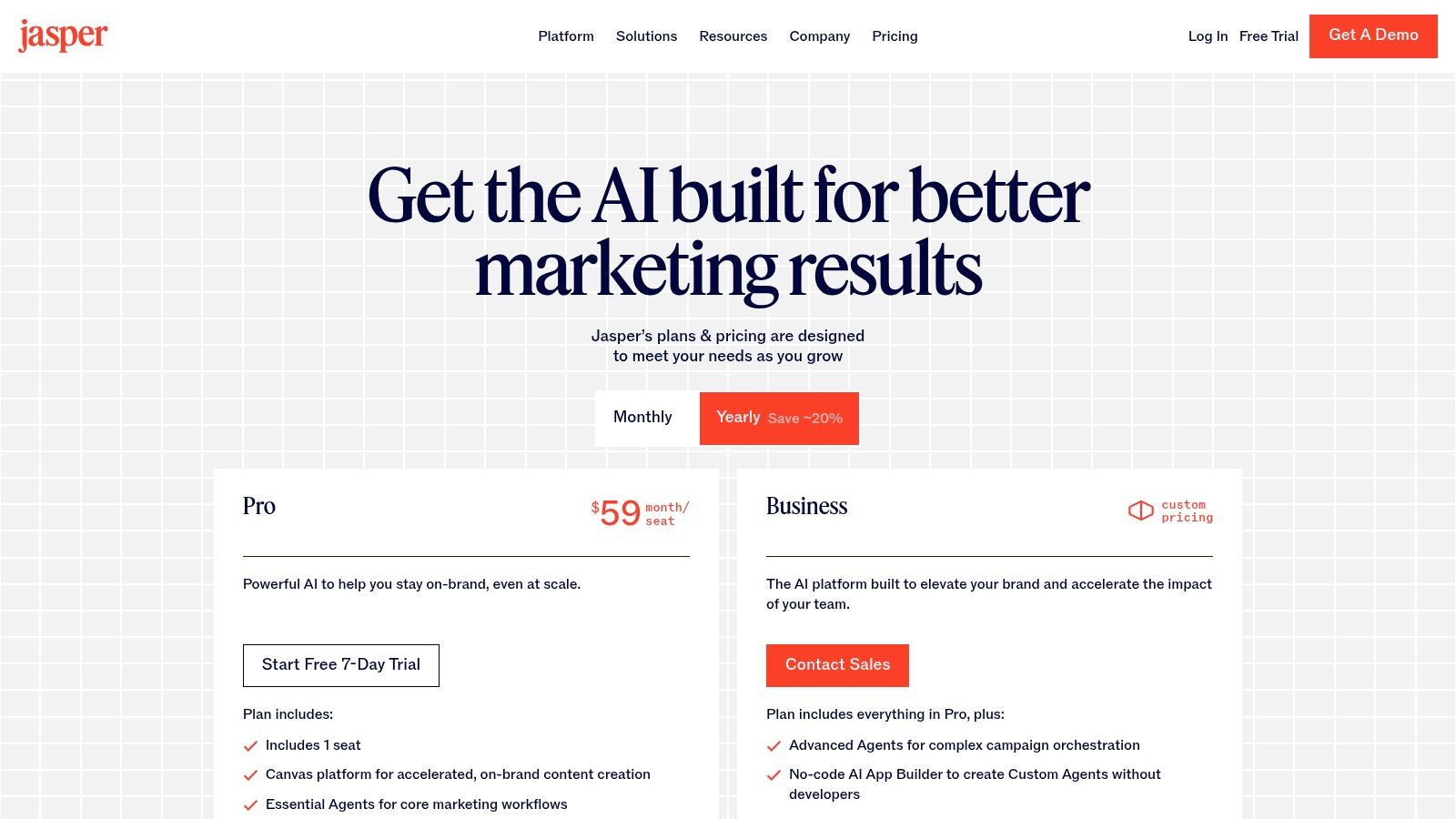
Jasper isn't the best general AI assistant. That's why some marketing teams should buy it.
General assistants are flexible, but they leave marketers building their own process from scratch. Jasper does the opposite. It integrates AI with brand voice, campaign workflows, and collaboration for content teams that prioritize consistency over raw model exploration.
You can check current packages on the Jasper pricing page.
Where Jasper beats broader tools
Jasper is most effective when marketing output needs guardrails. Brand Voice, Brand Knowledge, audience controls, campaign workflows, and marketer-friendly interfaces all help teams create more consistently.
That makes it a better fit than a broad assistant for:
- multi-stakeholder campaign creation
- brand-safe copy production
- team-based content operations
- repeatable asset generation across channels
The counter-intuitive part is this. A less flexible tool can be more valuable if it keeps six marketers aligned. Freedom is overrated when your problem is drift.
For teams working on long-form or assisted authoring, this practical piece on ghost writing AI is a useful companion.
What it won't do well
Jasper is not the tool I'd choose for deep research, heavy data analysis, or technical workflows. It's purpose-built for marketing, and that's both the upside and the limitation.
A few trade-offs stand out:
- Seat structure: Smaller plans may not map to collaborative teams.
- Niche fit: Technical teams prefer broader assistants.
- Value depends on process: If your marketing operation is loose and unstructured, you won't get the full benefit.
This is an example of buying software for the team you are, not the team you imagine becoming. If you publish at scale and your biggest risk is inconsistent messaging, Jasper is a sensible choice.
8. Salesforce Einstein
Salesforce Einstein is easy to oversimplify. It is not one tool. It is a layer of AI capabilities spread across CRM, service, marketing, Slack, and Data Cloud. That spread is why it can be powerful for the right company and frustrating for the wrong one.
Packaging changes over time, so the best starting point is Salesforce's own pricing update information.
Best for companies already deep in Salesforce
Einstein makes the most sense when Salesforce is already the operational center of your revenue and service teams. In that situation, AI can work directly against account, lead, case, and pipeline context instead of relying on manual exports or disconnected assistants.
That creates obvious use cases:
- predictive sales support
- lead and opportunity prioritization
- service workflow assistance
- CRM-native recommendations
- AI actions across Slack and Salesforce surfaces
Podium's roundup of business AI tools calls out Salesforce Einstein for predictive sales forecasting and lead management, a practical reminder that CRM-native AI is often more useful than standalone assistants for go-to-market teams. That mention appears within the McKinsey-anchored verified summary provided for this piece, so the direction is clear even without adding extra numbers.
The hard truth
Einstein performs only as well as the CRM it sits on. If your Salesforce instance is full of stale fields, weak process discipline, and inconsistent data entry, the AI won't rescue you.
It will amplify the disorder.
This is the core trade-off with any CRM-native AI:
- Strong upside: Rich context and in-workflow execution.
- Strong dependency: Clean data and disciplined CRM usage.
- Complex buying: Packaging and consumption can require careful review.
I like Einstein when a sales org already treats CRM hygiene as an operating discipline. I don't recommend it as a shortcut around bad process.
9. Adobe Acrobat AI Assistant
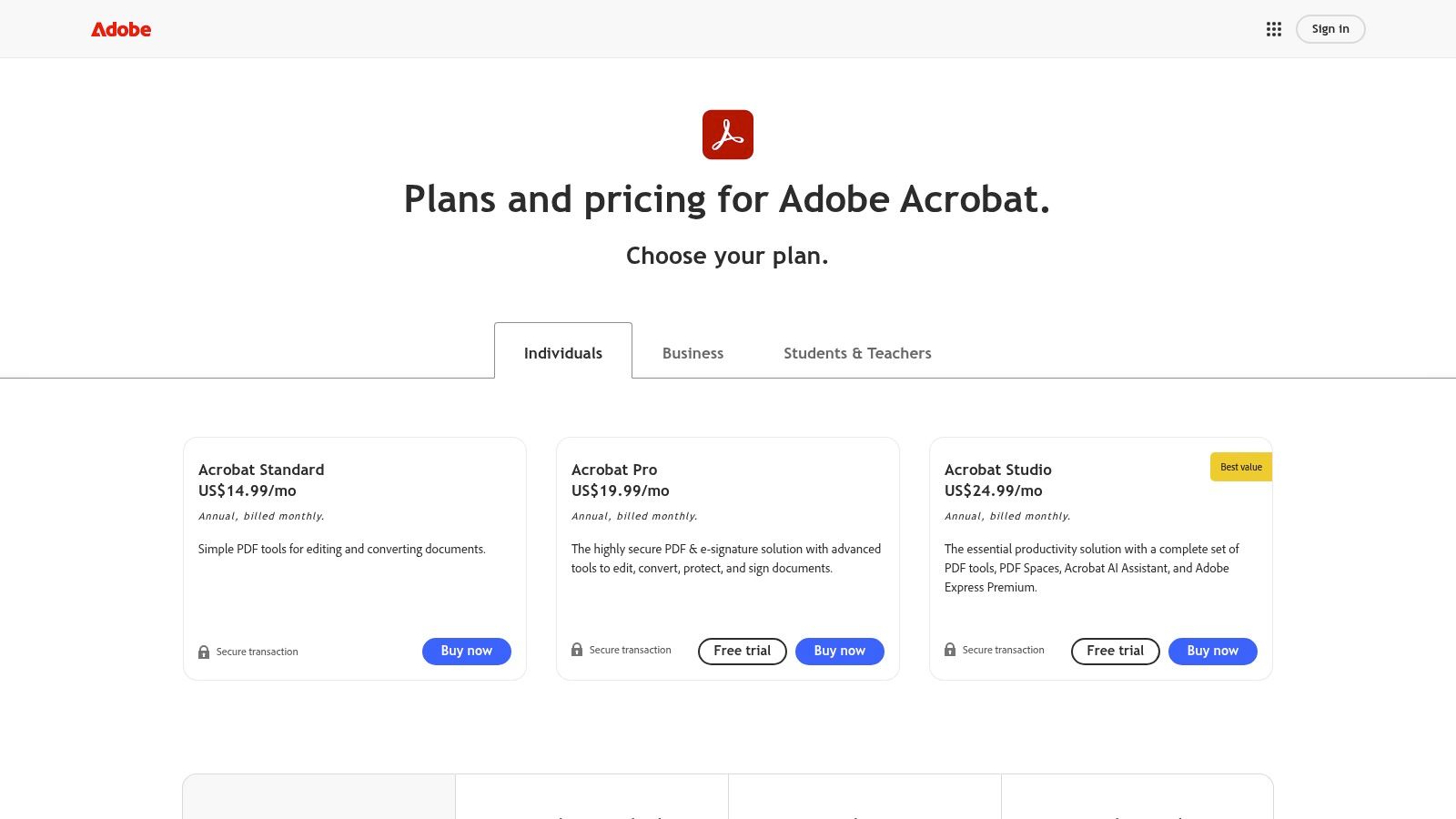
Adobe Acrobat AI Assistant is a practical purchase. It doesn't try to be your all-purpose work brain. It helps people extract answers, summaries, and checks from PDFs and related documents inside a tool many companies already use.
That's enough.
You can review Adobe's current packaging on the Acrobat pricing page.
Best for document-heavy teams
Legal, finance, procurement, compliance, and operations teams deal with the same pain point. Important information is locked inside long PDFs, contracts, scanned forms, and policy documents.
Acrobat AI Assistant is useful for:
question answering over documents, summaries with citations, follow-up prompts from source files, contract-focused checks, and cross-document reading without endless scrolling.
This is a tool where the ROI isn't glamorous, but it's tangible. If your team spends hours pulling clauses, checking terms, or summarizing dense files, an AI layer inside Acrobat is easier to justify than another standalone assistant.
Where it struggles
The quality of output depends on document quality. Poor OCR, messy scans, and inconsistent formatting can drag results down.
Keep these trade-offs in mind:
- Packaging confusion: AI access can vary across individual and team plans.
- Input quality matters: Clean PDFs get better results than scanned chaos.
- Narrow scope: Great for documents, but not a broad business assistant.
I like products like this because they focus on a specific bottleneck. They don't promise transformation. They help teams move through document-heavy work faster and with less friction.
10. Canva Magic Studio
Canva Magic Studio is an easy AI purchase to justify for marketing teams because it reduces production bottlenecks without requiring design-heavy skills. Copy, social graphics, simple video, image edits, resizing, and brand-guided creation happen in the same environment.
That speed matters, especially for lean teams.
Canva's AI suite is outlined on the Canva Magic page.
Where it works best
Canva is ideal for businesses that need a steady flow of visual content, not agency-grade art direction for every asset.
Typical use cases include:
- social creatives
- ad variations
- thumbnails and promo graphics
- simple brand templates
- lightweight video and repurposing
If your team moves from brief to caption to graphic to published asset, Canva's end-to-end flow is the appeal. You don't need to bounce between tools to create usable marketing output.
For teams exploring related categories, Oryndex's design and creative tools section is a good next stop.
What it won't replace
Canva is not a substitute for professional design software when the work demands precision, complex motion, or production-grade print control.
That doesn't make it less valuable. It defines the lane.
A few practical notes:
- Low learning curve: Non-designers can contribute.
- Brand controls help: Teams can maintain basic consistency without a dedicated designer in every workflow.
- Limits appear in advanced work: Complex video and exacting design require specialist tools.
For small teams, Canva becomes the creative layer that keeps marketing moving while heavier design work stays reserved for the moments that justify it.
Top 10 Business AI Tools Comparison
| Product | Core features ✨ | UX/Quality ★ | Target 👥 | Value/Price 💰 |
|---|---|---|---|---|
| Oryndex, AI Tool Discovery Engine 🏆 | Curated directory, editor’s shortlist, Similarweb top‑30 leaderboard, plain‑English search | ★★★★☆ Fast, high‑signal discovery | Founders, builders, operators | 💰 Free access; high discovery ROI; makers can submit |
| OpenAI, ChatGPT for Business/Enterprise | Team workspaces, custom GPTs, SSO/MFA, advanced GPT‑5.x, 60+ connectors | ★★★★☆ Frontier models + rapid product cadence | Founders, ops, marketing, support teams | 💰 Quote‑based; Business/Enterprise tiers vary |
| Microsoft 365 Copilot (Business/Enterprise) | Copilot in Word/Excel/Teams, Graph grounding, Copilot Studio, enterprise controls | ★★★★☆ Deep native Office integration | Organizations standardized on M365 | 💰 SKU‑tied; promotional bundles; possible Azure costs |
| Notion AI (Business/Enterprise) | AI chat, "Ask Notion", content generation, autofill databases | ★★★★☆ Excellent for docs + knowledge workflows | Teams consolidating docs, SOPs, KBs | 💰 Included on Business/Enterprise (feature limits apply) |
| Slack AI & Slackbot (Salesforce) | Thread/channel summaries, search answers, meeting recaps, Slackbot agents | ★★★★☆ Immediate in‑workflow value for busy teams | Teams using Slack (GTM/support) | 💰 Plan‑dependent; best value with Salesforce data |
| Zapier + AI | No‑code AI steps, chatbots/agents, connects 6,000+ apps, model choice | ★★★★☆ Fast automation for non‑devs | SMBs, ops, marketing teams | 💰 Usage/task based, can be costly at scale |
| Jasper, AI for Marketing Teams | Brand Voice, campaign canvas, agents, templates, API | ★★★☆☆ Strong marketing UX and brand control | Marketing/content and brand teams | 💰 Subscription tiers; Business for multi‑seat/governance |
| Salesforce Einstein (Copilot/Agentforce) | CRM‑native copilot, predictions, Data Cloud, Slack integration | ★★★★☆ Deep revenue/service integration | Salesforce‑centric GTM & support orgs | 💰 Complex/negotiated pricing; consumption fees possible |
| Adobe Acrobat AI Assistant | Conversational PDF search, summaries, contract checks, citations | ★★★★☆ High ROI for document‑heavy work | Legal, finance, procurement, ops | 💰 Add‑on credits/packaging across plans |
| Canva Magic Studio | Magic Write/Design/Edit, text→image/video, templates, brand kits | ★★★★☆ Fast end‑to‑end content for non‑designers | Marketing, content teams, creators | 💰 AI features in paid plans; per‑seat/feature limits apply |
From Tools to a System Building Your AI Flywheel
Businesses getting value from AI aren't collecting subscriptions. They're building operating systems.
This is the important shift most companies miss. Buying an assistant, a meeting tool, a design app, and an automation platform doesn't provide an inherent advantage. Advantage comes from deciding where work should start, where context should live, which systems should trigger action, and which tasks should stay human.
The best ai tools for business only become valuable when they connect into a repeatable loop.
Here's the framework I keep coming back to.
First, define the bottleneck in plain language. Not "we need AI." More like "sales reps lose time writing follow-ups," or "our team spends too long recreating weekly reports," or "nobody can find the latest SOP." That level of specificity changes the buying process immediately. It cuts the list down. It also makes adoption easier because people understand the point.
Second, audit the stack you already pay for. This step is boring, and it's where a lot of ROI gets found. If your business already runs on Microsoft 365, Slack, Salesforce, Notion, Adobe, or Canva, the most efficient AI move is often to activate the layer inside the platform you're already using. Less training. Fewer permission headaches. Faster rollout.
Third, use a curated discovery layer when you do need something new. That's where a product like Oryndex earns its spot. It shortens research time and helps you compare categories with more context than a random search result or a generic "top tools" list. This is the underrated step. Most wasted AI spend starts before the trial, when teams shortlist the wrong products.
Fourth, prioritize integration over feature depth. This is the counter-intuitive part. A less impressive tool that connects to your core systems can outperform a stronger standalone product that sits off to the side. In practice, teams adopt what fits their day-to-day environment. They abandon what forces them to rebuild habits.
One connected workflow usually beats five isolated AI wins.
I've watched companies make progress with a single automation that touches form intake, CRM update, Slack notification, and follow-up drafting. I've also watched companies stall after buying multiple premium tools with no owner, no workflow map, and no success metric.
That's why I wouldn't start 2026 by asking, "Which AI platform should we standardize on?" I'd start by asking, "Which one workflow steals the most time every week?" Then I'd fix that one path end to end.
For one team, that might mean ChatGPT plus Notion AI for internal knowledge and drafting. For another, it might be Microsoft 365 Copilot inside the apps they already live in. A marketing-heavy business may get more from Jasper plus Canva. A sales org on Salesforce may get better returns from Einstein and Slack AI. An ops-heavy SMB may get the fastest result from Zapier connecting the stack they already have.
You don't need a grand transformation plan on day one. You need one working loop.
Pick a workflow that matters. Connect the tools involved. Set a simple before-and-after measure. Then watch what breaks. That's where the next improvement opportunity appears. Over time, that process creates an AI flywheel. Less manual work. Cleaner knowledge. Faster decisions. Better output. More confidence to automate the next thing.
That's how teams build an edge. Not by chasing every launch, but by turning a few good tools into one coherent system.
If you're trying to build a practical AI stack without wasting weeks on noisy comparison pages, Oryndex is a place to start. It helps founders, operators, marketers, and developers discover vetted tools by business use case, compare options, and move from idea to implementation with less friction.